How Can I Reduce Forearm Pain From Repetitive Computer Work? Causes, Exercises, and Treatment
Spending several hours typing, using a mouse, or working on a computer can gradually lead to forearm pain. You may notice aching, tightness, burning, or fatigue in your forearms after a long working day. Sometimes, the discomfort improves after resting but returns as soon as you start typing again.
If you work in an office, spend hours coding, design websites, or regularly use a computer, repetitive movements may contribute to discomfort in your forearm muscles, tendons, and surrounding nerves.
The good news is that there are practical ways to manage this problem. Adjusting your workstation, changing your daily computer habits, taking movement breaks, and performing appropriate exercises may help reduce discomfort and improve your ability to work comfortably.
However, forearm pain does not always come from repetitive strain. Conditions such as tendon problems, nerve compression, and other musculoskeletal disorders can produce similar symptoms.
In this guide, you will learn why repetitive computer work can cause forearm pain, how to relieve it, which exercises may help, and when professional treatment is necessary.
Why Does Repetitive Computer Work Cause Forearm Pain?
Your forearms contain muscles and tendons that control wrist movements, finger movements, and grip strength.
Whenever you type on a keyboard, click a mouse, or hold your wrist in one position for an extended period, these structures remain active.
Although individual movements may require very little force, repeating them thousands of times throughout the day can increase physical demands on the upper limbs.
Several factors may contribute to forearm discomfort:
- Repeated typing and mouse movements.
- Prolonged wrist positioning.
- Excessive gripping or clicking.
- Poorly adjusted workstation equipment.
- Limited movement throughout the working day.
- Insufficient recovery between repetitive tasks.
- Direct pressure against the forearm or wrist.
The combination of repetition, sustained posture, and unnecessary muscle tension may contribute to work-related musculoskeletal symptoms.
It is important to remember that computer work does not automatically cause an injury. Symptoms usually depend on several factors, including workload, individual tolerance, workstation conditions, and existing health problems.

7 Common Causes of Forearm Pain From Computer Work
Understanding the possible cause of your discomfort can help you choose more appropriate ways to manage it.
1. Repetitive Strain Injury (RSI)
Repetitive strain injury, commonly called RSI, is a general term used to describe pain and other symptoms associated with repeated movements or prolonged physical activity.
It can affect different parts of your upper limbs, including your:
- Forearms.
- Wrists.
- Elbows.
- Hands.
- Fingers.
People who type frequently, use a mouse throughout the day, or perform repetitive office tasks may develop symptoms associated with repetitive strain.
Common symptoms include:
- Aching or burning in the forearm.
- Muscle stiffness.
- Tenderness after prolonged typing.
- Reduced grip strength.
- Tingling or numbness.
- Discomfort that increases during computer use.
Symptoms may develop gradually rather than appearing after one specific movement.
If your forearm pain repeatedly returns during computer work, it is worth reviewing your daily workload and workstation habits.
2. Forearm Muscle Overuse
Your forearm muscles help control the movements of your fingers and wrists.
When you type continuously or use a mouse for extended periods, these muscles perform repeated contractions. Holding your hand in a fixed position may also contribute to muscle fatigue.
Over time, you may experience discomfort, tightness, or soreness.
Signs of forearm muscle overuse include:
- Muscle fatigue during computer work.
- Aching along the forearm.
- Discomfort when making a fist.
- Tightness after typing.
- Temporary improvement after rest.
One common mistake is continuing to work through increasing discomfort without changing the activity.
Instead, consider alternating tasks, reducing unnecessary tension, and introducing short movement breaks.
3. Tendon Irritation and Tendinopathy
Tendons connect muscles to bones and transfer the force needed to move your wrist and fingers.
Repeated wrist movements and gripping activities can contribute to tendon overload, particularly when the workload increases suddenly or recovery is insufficient.
Depending on the affected tendon, discomfort may occur near the wrist, forearm, or elbow.
Possible symptoms include:
- Localized tenderness.
- Pain during wrist movements.
- Discomfort when gripping objects.
- Stiffness after periods of inactivity.
- Pain when performing repetitive tasks.
Tendon pain can have different causes, so persistent symptoms should be assessed rather than automatically assumed to be RSI.
4. Poor Keyboard and Mouse Positioning
Your workstation setup can influence how much effort your forearm muscles need to produce during computer work.
For example, if your keyboard is too high, you may repeatedly lift your shoulders or position your wrists awkwardly.
Similarly, a mouse placed too far away may cause unnecessary reaching and sustained arm tension.
Common workstation problems include:
- Keyboard positioned too high.
- Mouse placed far from the body.
- Wrists repeatedly bent while typing.
- Shoulders held in an elevated position.
- Forearms resting against hard desk edges.
- Chair height that does not support a comfortable working position.
These factors may contribute to discomfort, particularly when combined with repetitive tasks.
5. Nerve Compression
Nerves travel through your neck, shoulder, arm, elbow, and wrist. Irritation or compression at different points can cause symptoms that extend into the forearm and hand.
For example, carpal tunnel syndrome involves compression of the median nerve at the wrist.
Other conditions, including ulnar nerve irritation and cervical nerve problems, can also cause arm discomfort.
Symptoms may include:
- Tingling in the fingers.
- Numbness in the hand.
- Burning sensations.
- Weakness when gripping objects.
- Pain that travels from the arm towards the hand.
Nerve-related symptoms are different from ordinary muscle fatigue. Persistent numbness or progressive weakness should be assessed by a healthcare professional.
6. Prolonged Static Posture
Even if you are not typing constantly, holding your arms and shoulders in the same position for long periods may contribute to discomfort.
For example, you may keep your forearms suspended above the keyboard while concentrating on a task.
You might also lean forward, move your shoulders towards your ears, or maintain a tense grip on the mouse.
Changing your position regularly and incorporating movement into your working day can help reduce prolonged static loading.
7. Existing Musculoskeletal Conditions
Sometimes, forearm pain becomes noticeable during computer work because of an existing condition.
Examples include:
- Tennis elbow.
- Golfer’s elbow.
- Carpal tunnel syndrome.
- De Quervain’s tenosynovitis.
- Cervical radiculopathy.
- Other tendon or joint disorders.
These conditions may produce symptoms that become more noticeable during repetitive computer activities.
If pain continues despite changing your workstation and reducing repetitive tasks, a clinical assessment can help identify the underlying problem.
How Can I Reduce Forearm Pain While Working on a Computer?
Managing forearm discomfort often requires more than one adjustment.
The goal is to reduce unnecessary physical stress, improve movement habits, and gradually restore your tolerance for everyday computer activities.
Here are practical strategies you can start using.
1. Adjust Your Keyboard Position
Your keyboard should allow you to type without repeatedly bending your wrists or raising your shoulders.
Try the following:
- Keep your keyboard at a comfortable height.
- Position it close enough to avoid reaching.
- Keep your wrists relatively straight.
- Allow your shoulders to remain relaxed.
- Avoid pressing your wrists against sharp desk edges.
Your elbows should remain comfortably close to your body while typing.
There is no single perfect posture for everyone. The most useful position is one that allows relaxed movement without sustained awkward positioning.
2. Position Your Mouse Closer to Your Body
A mouse placed too far away can encourage repeated reaching and shoulder tension.
To improve your setup:
- Place your mouse beside your keyboard.
- Keep it close enough to use without stretching your arm.
- Relax your grip.
- Avoid unnecessary clicking.
- Keep your wrist in a comfortable, neutral position.
If your current mouse causes discomfort, you may experiment with a different shape or size.
However, no particular mouse design is guaranteed to prevent or treat forearm pain. Choose equipment based on comfort and how your symptoms respond.
3. Take Short Movement Breaks
One of the most practical changes is reducing long periods of uninterrupted computer work.
Instead of remaining in the same position for several hours, introduce short breaks throughout the day.
During these breaks:
- Relax your hands.
- Move your wrists gently.
- Straighten your elbows.
- Change your sitting position.
- Stand up and walk briefly.
- Move your shoulders.
The Occupational Safety and Health Administration (OSHA) recommends short rest pauses, movement, and alternating tasks during repetitive computer work.
You can start with this simple routine:
| Working activity | Suggested movement |
|---|---|
| After 30–45 minutes of typing | Relax your hands and change position |
| After a long mouse session | Move your wrist and fingers gently |
| During longer work sessions | Stand up and walk briefly |
| Between different tasks | Change your arm position |
These intervals are practical starting points, not medically established requirements for everyone.
4. Avoid Excessive Mouse Grip
Many people hold their mouse more tightly than necessary.
This can increase unnecessary tension in the muscles responsible for controlling the fingers and wrist.
Try to:
- Use a relaxed grip.
- Avoid squeezing the mouse.
- Keep your fingers relaxed between clicks.
- Move the mouse using comfortable arm and hand movements.
- Adjust pointer speed if you frequently make unnecessary movements.
Small changes in how you use your mouse may help reduce repetitive physical effort.
5. Support Your Forearms Comfortably
Your workstation should allow your arms to remain relaxed without placing excessive pressure on sensitive areas.
Adjust your chair and desk so that your forearms can rest comfortably when appropriate.
Avoid leaning heavily on the hard edge of a desk, particularly around the wrist and elbow.
A padded support may improve comfort for some people, but it should not force your wrist into an uncomfortable position.
6. Alternate Computer Tasks
If your work involves several different activities, try to distribute them throughout the day.
For example, alternate between:
- Typing.
- Reading documents.
- Attending meetings.
- Reviewing designs.
- Planning tasks.
- Walking or other non-computer activities.
This can introduce movement and reduce the time spent performing the same repetitive action.
5 Exercises to Help Reduce Forearm Pain From Computer Work
Gentle exercises may help maintain wrist mobility and improve comfort in the forearm muscles.
However, exercises should be selected according to your symptoms. They are not appropriate for every injury, especially when there is a suspected tendon tear or significant nerve compression.
Perform movements slowly and avoid forcing painful stretches.
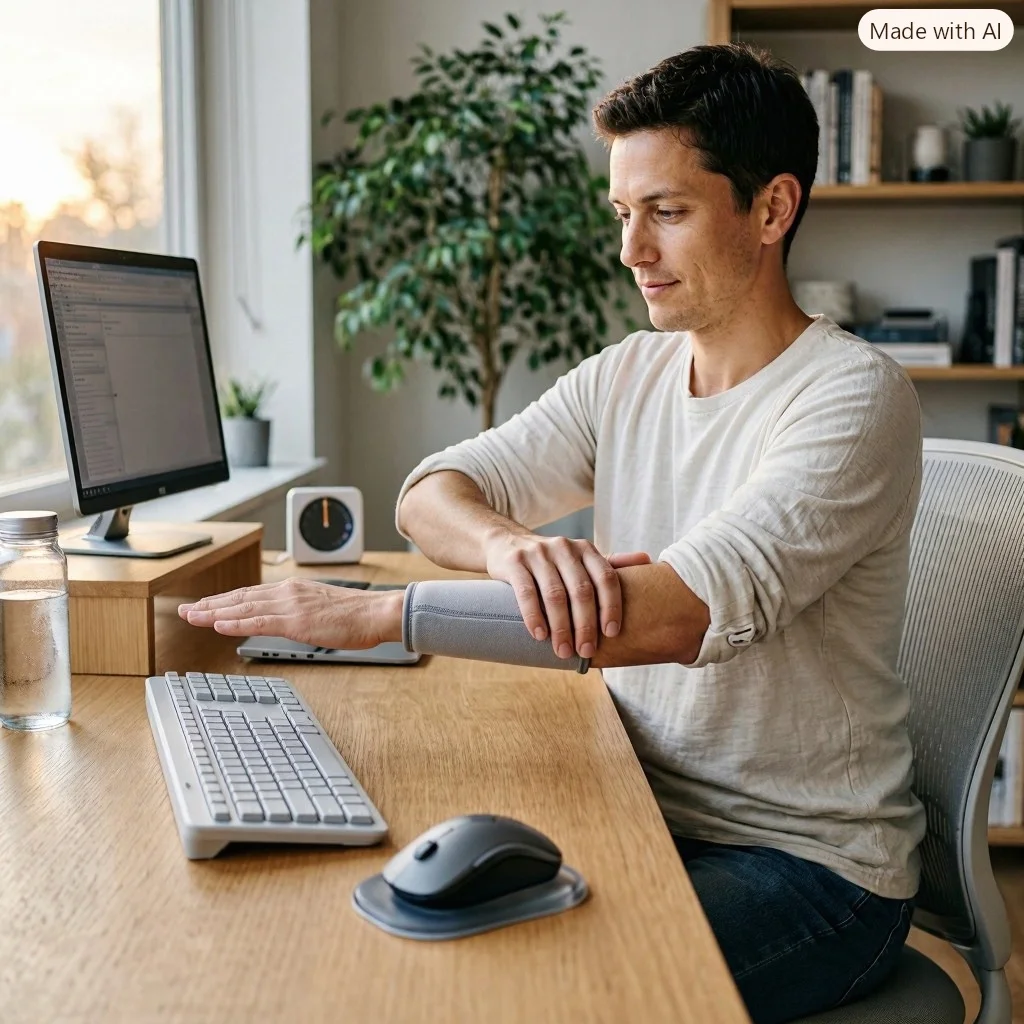
Exercise 1: Wrist Extensor Stretch
Purpose: Gently stretch the muscles along the back of your forearm.
Instructions:
- Extend one arm in front of you.
- Keep your elbow comfortably straight.
- Turn your palm towards the floor.
- Gently bend your wrist downwards.
- Use your opposite hand to provide a light stretch.
- Hold for 15–30 seconds.
- Repeat on the other arm.
You should feel a gentle stretch along the upper side of your forearm.
Do not pull strongly or continue if the movement causes sharp pain.
Exercise 2: Wrist Flexor Stretch
Purpose: Stretch the muscles on the inner side of your forearm.
Instructions:
- Extend your arm in front of you.
- Turn your palm upwards.
- Gently move your fingers towards the floor.
- Use your other hand to guide the movement.
- Hold for 15–30 seconds.
- Relax and repeat on the opposite side.
Keep the movement comfortable and controlled.
Exercise 3: Wrist Circles
Purpose: Encourage gentle wrist movement.
Instructions:
- Relax your forearm.
- Lift your hand slightly.
- Slowly rotate your wrist in a circular motion.
- Complete five circles in one direction.
- Repeat in the opposite direction.
Avoid large or forceful movements.
Exercise 4: Finger Opening and Closing
Purpose: Encourage comfortable finger movement after prolonged typing.
Instructions:
- Extend your fingers gently.
- Slowly close your hand into a loose fist.
- Open your fingers again.
- Repeat 10 times.
Do not squeeze your hand tightly.
Exercise 5: Gentle Forearm Rotation
Purpose: Maintain comfortable forearm movement.
Instructions:
- Keep your elbow close to your body.
- Bend it to approximately 90 degrees.
- Turn your palm upwards.
- Slowly rotate your forearm until your palm faces downwards.
- Return to the starting position.
- Repeat 8–10 times.
Perform this exercise without forcing the movement.
Important: Stop if exercises cause increasing pain, tingling, numbness, or weakness. If symptoms persist, seek an individualized assessment.
How Should You Set Up Your Computer Workstation?
A comfortable workstation can make daily computer activities easier and may help reduce unnecessary strain.
Consider the following adjustments:
| Workstation component | Recommended adjustment |
|---|---|
| Chair | Adjust the height to support a comfortable sitting position |
| Desk | Allow enough space for relaxed arm movement |
| Keyboard | Keep it close and at a comfortable height |
| Mouse | Position it beside the keyboard |
| Monitor | Place it directly in front of you |
| Forearms | Support them comfortably without pressure |
| Wrists | Avoid prolonged bending |
| Feet | Keep them supported by the floor or a footrest |
What If You Use a Laptop All Day?
Laptop users may experience additional positioning challenges because the keyboard and screen are connected.
Looking down at a low screen while typing can encourage a forward head position.
If you work on a laptop for extended periods, consider using:
- A separate keyboard.
- An external mouse.
- A laptop stand or monitor riser.
- An adjustable chair.
- A suitable desk setup.
This allows you to position the screen and input devices more independently.
Remember that workstation adjustments should be combined with changes in workload and movement habits. Equipment alone may not resolve persistent pain.
Can Physiotherapy Help With Forearm Pain From Computer Work?
Yes. Physiotherapy may help when forearm pain continues to interfere with typing, mouse use, work activities, or everyday tasks.
A physiotherapist can assess the muscles, tendons, joints, and nerves involved in your symptoms.
Depending on the findings, treatment may include:
Movement assessment: Identifying movements and positions that reproduce your symptoms.
Strengthening exercises: Improving the capacity of the forearm and wrist muscles.
Mobility exercises: Maintaining comfortable movement in the wrist, elbow, and shoulder.
Activity modification: Helping you adjust computer tasks without unnecessarily avoiding all movement.
Workstation advice: Identifying practical changes that may improve comfort during computer use.
Progressive rehabilitation: Gradually increasing your tolerance for typing and other repetitive activities.
For persistent symptoms, professional physiotherapy treatment may help you understand the cause of your discomfort and develop an individualized recovery plan.
If muscle tightness is also present, a clinician may consider whether soft tissue therapy is appropriate as part of a broader treatment approach.
Treatment should always be based on the underlying condition rather than assuming every case of forearm pain is caused by repetitive strain.
How Long Does Forearm Pain From Computer Work Take to Improve?
Recovery time varies depending on the cause, severity, and duration of your symptoms.
Mild muscular discomfort may settle after reducing aggravating activities and allowing adequate recovery.
However, persistent tendon problems or nerve-related conditions may require a longer period of assessment and treatment.
Several factors can influence recovery:
- How long you have experienced symptoms.
- The amount of repetitive activity you perform.
- Whether you continue aggravating movements.
- The presence of tendon or nerve problems.
- Your overall strength and physical condition.
- Whether your rehabilitation programme is appropriate.
If symptoms keep returning despite making adjustments, do not assume that more stretching or additional rest will solve the problem. A proper assessment may be necessary.

When Should You See a Doctor or Physiotherapist?
Occasional forearm fatigue after a busy working day is not always a sign of injury.
However, persistent or worsening symptoms deserve attention.
Consider seeking professional advice if:
- Forearm pain continues for more than a few weeks.
- Typing becomes increasingly uncomfortable.
- You experience recurring pain during mouse use.
- Your grip strength decreases.
- You notice persistent tingling or numbness.
- Your wrist or elbow movement becomes restricted.
- Symptoms interfere with sleep or daily activities.
Seek urgent medical attention if you experience sudden severe pain, significant swelling, a major injury, or new substantial weakness or loss of sensation.
A red, hot, swollen area accompanied by fever also requires urgent assessment.
If you develop sudden arm pain alongside chest pressure, shortness of breath, or sweating, seek emergency medical help.
How Can You Prevent Forearm Pain in the Future?
Preventing recurring discomfort requires consistent habits rather than relying on a single stretch or piece of equipment.
Here are practical steps to consider:
1. Build movement into your working day. Avoid remaining in the same position for extended periods.
2. Maintain a comfortable workstation. Keep your keyboard and mouse within easy reach.
3. Reduce unnecessary gripping. Use only the force needed to operate your mouse and keyboard.
4. Alternate tasks. Combine computer activities with other tasks whenever possible.
5. Increase workloads gradually. Avoid suddenly increasing the amount of repetitive computer work.
6. Pay attention to early symptoms. Modify activities when discomfort first appears rather than waiting for it to become severe.
7. Maintain general physical activity. Regular movement and appropriate strengthening can support overall musculoskeletal health.
Final Thoughts: How Can You Reduce Forearm Pain From Repetitive Computer Work?
Forearm pain from repetitive computer work can develop because of repeated movements, prolonged positioning, muscle fatigue, tendon overload, or nerve irritation.
The most useful approach is to understand what contributes to your symptoms and make practical changes to your daily routine.
Start by positioning your keyboard and mouse comfortably, reducing unnecessary gripping, alternating tasks, and taking regular movement breaks. Gentle forearm exercises may also help maintain mobility when they are appropriate for your condition.
If pain continues, becomes worse, or is accompanied by numbness or weakness, consult a healthcare professional.
Physiotherapy can help identify the source of discomfort and provide a structured plan to improve strength, movement, and work-related function.
Working at a computer should not mean accepting persistent forearm pain. Small changes, early attention, and appropriate treatment can help you return to more comfortable daily activities.
Frequently Asked Questions (FAQs)
1. Why do my forearms hurt after typing all day?
Your forearms may hurt after typing because the muscles and tendons responsible for controlling your fingers and wrists perform repeated movements throughout the day. Prolonged positioning and insufficient recovery may also contribute to discomfort.
2. Can using a mouse cause forearm pain?
Yes. Repeated clicking, gripping, and moving a mouse can contribute to forearm discomfort, particularly when the mouse is positioned too far away or requires excessive gripping.
3. How often should I take breaks when working on a computer?
Short, regular movement breaks can help interrupt prolonged repetitive activity. You can start by changing your position every 30–45 minutes and taking additional breaks during longer work sessions. Adjust the frequency according to your symptoms and workload.
4. Should I stop typing if my forearm hurts?
You may need to temporarily reduce the amount of typing that aggravates your symptoms. However, complete inactivity is not always necessary. Modify your workload, introduce breaks, and seek professional advice if the pain continues.
5. Can stretching reduce forearm pain?
Gentle wrist and forearm stretches may help maintain flexibility and reduce feelings of tightness. However, stretching alone may not address tendon injuries, nerve compression, or other underlying conditions.
6. What is the best exercise for forearm pain from typing?
There is no single best exercise for everyone. Wrist flexor stretches, wrist extensor stretches, gentle wrist circles, and controlled forearm movements may help some people. The appropriate exercises depend on the underlying cause.
7. Can poor posture cause forearm pain?
Poor workstation positioning may contribute to forearm discomfort by increasing unnecessary muscle tension and maintaining awkward arm or wrist positions. Adjusting your setup and changing positions regularly may help.
8. Is forearm pain a sign of carpal tunnel syndrome?
Not necessarily. Carpal tunnel syndrome can cause symptoms that extend into the forearm, but it more typically involves numbness, tingling, or pain in the hand and fingers. A healthcare professional can help distinguish it from other conditions.
9. Does a wrist rest help with forearm pain?
A comfortable wrist support may help some people, but excessive pressure or an awkward wrist position can create additional discomfort. The support should not force your wrist into a bent position.
10. Can physiotherapy help with repetitive strain injury?
Yes. Physiotherapy may help improve movement, strength, and activity tolerance through an individualized rehabilitation programme. Treatment depends on the tissues involved and the severity of the condition.
11. Why does my forearm hurt even when I am not typing?
Pain that continues during rest may indicate persistent muscle, tendon, joint, or nerve irritation. If it does not improve or is accompanied by numbness or weakness, arrange a medical assessment.
12. Can forearm pain from computer work become permanent?
Not necessarily. Many work-related upper-limb problems improve with early recognition and appropriate management. However, ignoring persistent symptoms may delay recovery, so ongoing discomfort should be assessed.