Physiotherapy for Computer Users: A Complete Guide to Pain, Posture, Ergonomics, and Movement
Physiotherapy for computer users focuses on preventing and managing physical problems that can develop from spending long periods working at a computer. Modern work often requires people to sit at a desk, use a keyboard and mouse, look at a monitor, and remain focused on digital tasks for several hours each day. Without sufficient movement and appropriate physical conditioning, some people may experience discomfort in the neck, shoulders, upper back, lower back, wrists, or hands.
Computer-related discomfort is not necessarily caused by one posture or one piece of equipment. Physical activity levels, workload, stress, sleep, previous injuries, workstation setup, movement habits, and individual health can all influence symptoms.
Physiotherapy can help computer users understand their physical limitations, improve strength and mobility, develop better movement habits, and create practical strategies for managing work-related discomfort.
The objective is not to maintain one “perfect” posture throughout the entire workday. Instead, modern physiotherapy encourages movement variety, physical capacity, regular position changes, and an ergonomic environment that supports comfortable work.
What Is Physiotherapy for Computer Users?
Physiotherapy for computer users is a specialized approach to managing physical problems associated with prolonged computer-based work.
It may be useful for people who regularly experience:
Neck discomfort
Shoulder pain
Upper-back stiffness
Lower-back pain
Wrist discomfort
Hand symptoms
Muscle fatigue
Reduced mobility
Postural endurance problems
Repetitive strain symptoms
A physiotherapist can assess how a person moves, works, exercises, and manages physical demands.
Treatment can then be personalized according to the individual’s symptoms and work requirements.
Why Computer Users May Experience Physical Problems
Computer work can involve long periods of relatively repetitive activity.
Typical tasks may include:
Sitting at a desk
Typing
Using a mouse
Looking at a monitor
Reading documents
Attending online meetings
Using a laptop
Working on a tablet
When these activities are performed for extended periods without sufficient movement, some people may develop stiffness or discomfort.
However, sitting or computer use alone does not automatically cause pain. Individual factors are important.
Common Problems Among Computer Users
Computer users may experience discomfort in several areas of the body.
Common complaints include:
Neck pain
Shoulder tension
Upper-back discomfort
Lower-back pain
Wrist pain
Hand discomfort
Forearm fatigue
Headaches associated with neck tension
Reduced mobility
Physiotherapy can help determine whether symptoms are related to musculoskeletal limitations and whether rehabilitation may be appropriate.
Physiotherapy Assessment for Computer Users
A physiotherapy assessment can begin with questions about:
Daily computer use
Work schedule
Symptoms
Previous injuries
Exercise habits
Sleep
Physical activity
Workstation setup
The physiotherapist may also assess:
Neck mobility
Shoulder movement
Upper-back mobility
Spinal movement
Muscle strength
Wrist and forearm function
Postural endurance
Functional movement
This information helps create a personalized treatment program.
Neck Pain From Computer Work (Physiotherapy for Computer Users)
Neck discomfort is a common complaint among people who spend significant amounts of time using computers.
Extended periods of screen-based work may involve sustained head and neck positions.
Physiotherapy may focus on:
Neck mobility
Upper-back movement
Shoulder strength
Postural endurance
Movement variety
Workstation habits
Exercises can be selected according to the individual’s symptoms and physical limitations.
Forward Head Position
People often associate computer use with forward head posture.
When looking at a screen, some individuals may gradually move their head forward or maintain one position for an extended period.
Physiotherapy does not necessarily aim to force the head into one fixed position.
Instead, treatment may focus on improving:
Neck strength
Upper-back mobility
Shoulder control
Postural endurance
Movement options
Changing positions throughout the workday can also reduce prolonged loading in one position.
Shoulder Pain and Computer Use
Computer users may experience shoulder discomfort, especially when working with a mouse or keyboard for long periods.
A physiotherapist may assess:
Shoulder mobility
Rotator cuff strength
Scapular control
Upper-back movement
Workstation setup
Exercises may include:
Resistance-band rows
Shoulder rotations
Scapular exercises
Upper-back strengthening
Mobility exercises
The program should be adapted to the individual’s symptoms.
Upper-Back Stiffness
Long periods of desk work can sometimes be associated with stiffness around the upper back.
Physiotherapy may use mobility exercises targeting the thoracic spine.
Examples include:
Thoracic rotations
Extension exercises
Controlled spinal movements
Shoulder mobility exercises
Regular movement throughout the day may also help reduce prolonged stiffness.
Lower-Back Pain and Sitting (Physiotherapy for Computer Users)
Lower-back discomfort is another common concern among office and computer workers.
However, there is no single sitting position that prevents all back pain.
A physiotherapist may assess:
Hip mobility
Back movement
Core strength
Leg strength
Functional movement
Physical activity levels
Treatment can include strengthening, mobility exercises, movement education, and gradual increases in physical activity.
Wrist and Hand Problems
Keyboard and mouse use can involve repetitive hand and wrist movements.
Some users may develop:
Wrist discomfort
Forearm fatigue
Hand stiffness
Symptoms associated with repetitive activities
A physiotherapist can assess wrist and forearm movement and strength.
Treatment may include appropriate mobility exercises, strengthening, activity modification, and ergonomic advice.
Persistent numbness, weakness, or significant neurological symptoms should receive appropriate medical evaluation.
Ergonomics for Computer Users
Ergonomics involves adapting the work environment and tasks to better support the person using them.
A physiotherapist may provide guidance about:
Monitor position
Desk height
Chair setup
Keyboard placement
Mouse position
Laptop use
Foot support
The goal is not to create a rigid workstation that eliminates all movement.
Instead, the workstation should allow comfortable movement and easy position changes.
Monitor Position (Physiotherapy for Computer Users)
A monitor should generally be positioned so that the user can view the screen comfortably without repeatedly bending or extending the neck.
The appropriate height and distance depend on the individual, screen size, visual requirements, and working habits.
Laptop users may need additional equipment if they work for long periods at a fixed desk.
Keyboard and Mouse Position
Keyboard and mouse placement can influence shoulder, elbow, wrist, and forearm comfort.
A comfortable setup generally allows the user to work without excessive reaching or sustained awkward positioning.
However, even a well-positioned keyboard cannot replace regular movement.
Taking short movement breaks can be an important part of a computer-based work routine.
The Importance of Movement Breaks
One of the simplest strategies for computer users is to avoid remaining in the same position for excessively long periods.
Movement breaks may involve:
Standing
Walking
Stretching
Shoulder movement
Neck movement
Changing tasks
Getting water
Even brief periods of movement can help break up prolonged sedentary behavior.
The exact frequency of breaks can vary according to workload and individual needs.
Is Sitting the Main Cause of Pain?
Sitting is often blamed for many musculoskeletal problems, but the relationship between sitting and pain is more complex.
Pain can be influenced by:
Physical activity
Stress
Sleep
Workload
Previous injuries
General health
Muscle strength
Recovery
Individual sensitivity
Therefore, simply telling someone to “sit straight” is unlikely to solve every problem.
Physiotherapy takes a broader approach.
Posture and Computer Work
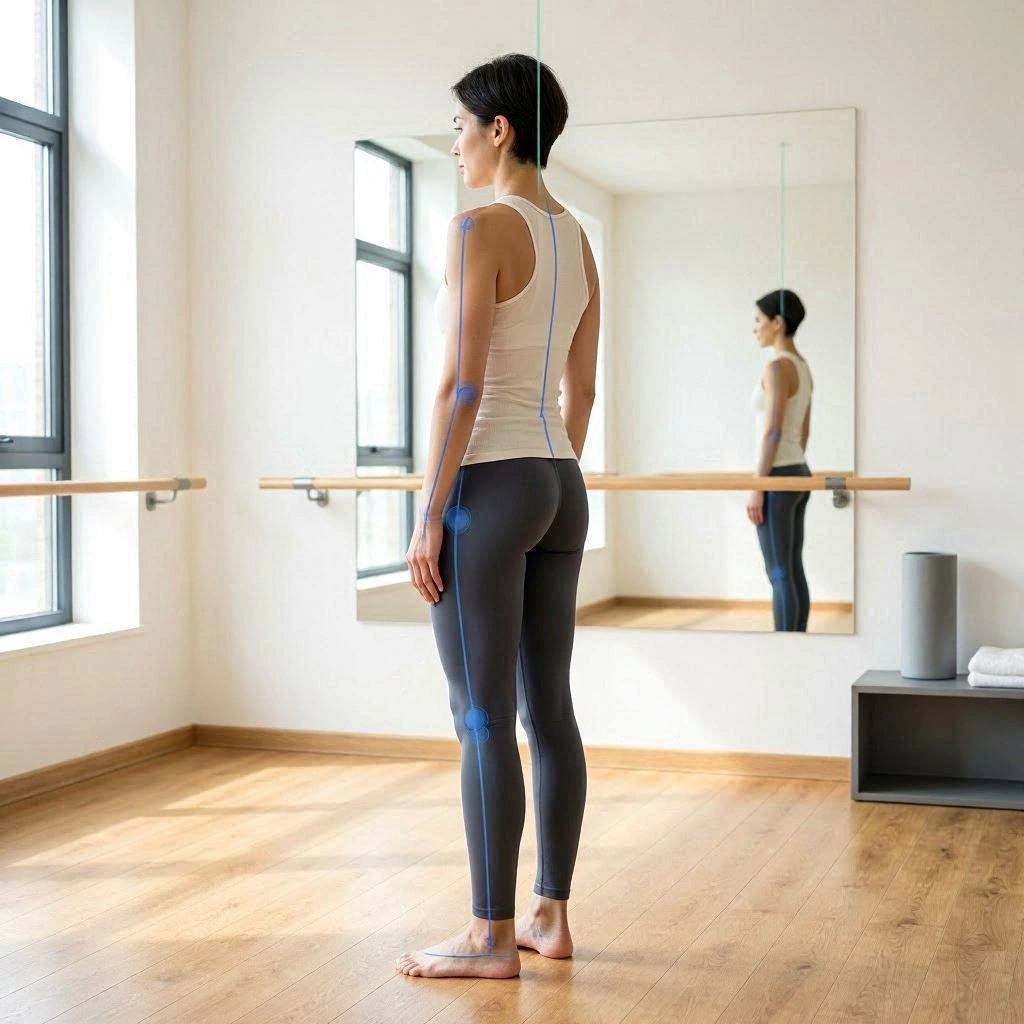
Posture is important, but there is no universal posture that every computer user needs to maintain.
People naturally change position throughout the day.
A more practical approach is to develop:
Postural endurance
Movement variety
Strength
Mobility
Physical confidence
Instead of constantly monitoring posture, users can learn to recognize when they have remained in one position for too long and change positions.
Exercises for Computer Users (Physiotherapy for Computer Users)
A physiotherapist may prescribe exercises based on the individual’s assessment.
Common categories include:
Neck Exercises
Gentle neck movements and strengthening exercises may help improve mobility and endurance.
Shoulder Exercises
Resistance exercises can help develop shoulder strength and control.
Upper-Back Exercises
Thoracic mobility and strengthening exercises may help people tolerate desk work more comfortably.
Core Exercises
Exercises such as bridges, bird dogs, and controlled trunk movements can support general physical conditioning.
Wrist Exercises
Mobility and strengthening exercises can be used when appropriate.
Neck Mobility Exercises
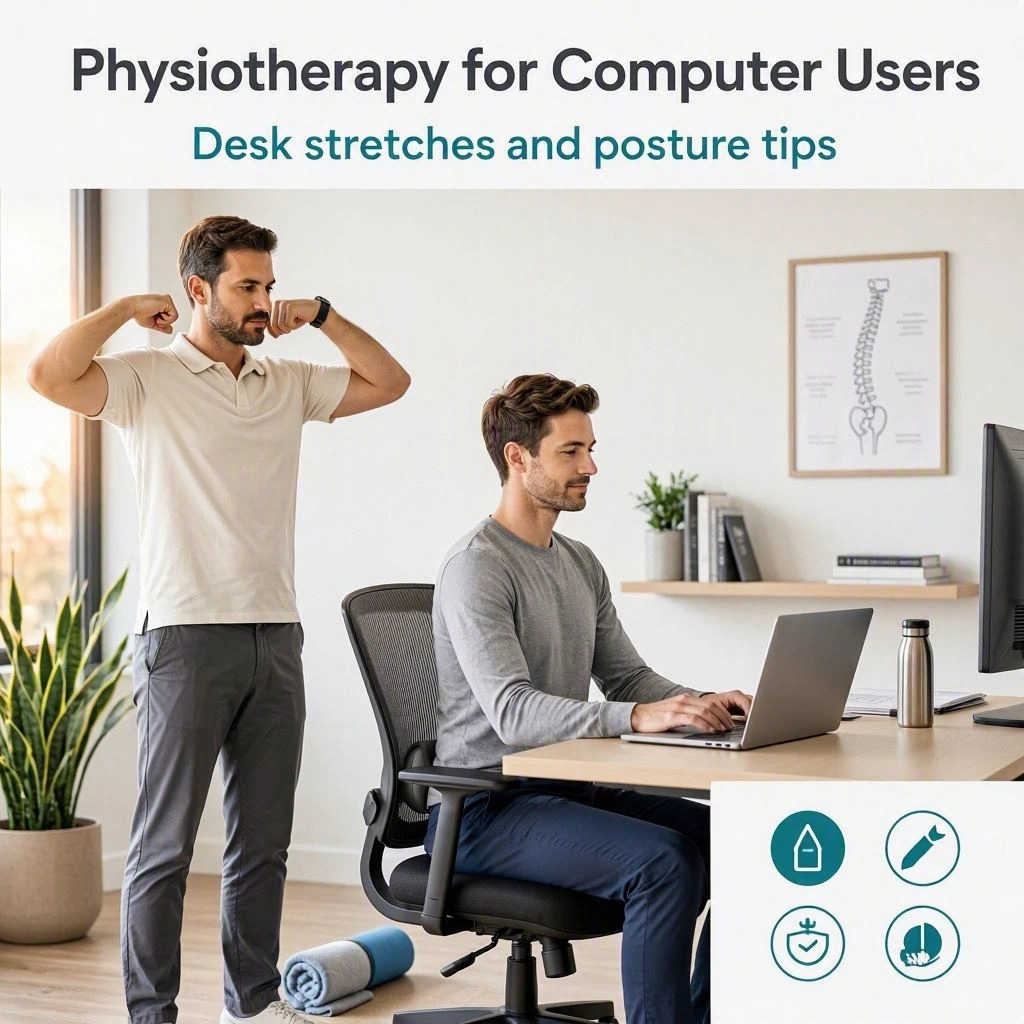
Computer users may benefit from regular neck movement throughout the day.
Examples can include:
Gentle rotation
Controlled side bending
Neck flexion and extension
Shoulder movement
Exercises should remain comfortable and should be stopped if they produce significant or unusual symptoms.
Shoulder Strengthening
Shoulder strengthening can improve physical capacity for computer users.
Possible exercises include:
Resistance-band rows
External rotation
Scapular exercises
Wall exercises
Resistance and repetitions should be adjusted according to the individual’s abilities.
Upper-Back Mobility
Thoracic mobility exercises can help people who experience upper-back stiffness.
Examples include:
Seated rotation
Thoracic extension
Controlled reaching
Wall mobility exercises
These exercises can be incorporated into short movement breaks.
Core Strength for Desk Workers
Core training can be part of a general exercise program.
Examples include:
Bridges
Bird dogs
Dead bugs
Planks
Side planks
Core exercises should complement whole-body strength training rather than replace it.
Strength Training for Computer Users (Physiotherapy for Computer Users)
Regular full-body strength training can help counteract the physical inactivity associated with prolonged desk work.
Training may include:
Squats
Lunges
Rows
Presses
Hip exercises
Carrying exercises
Core exercises
Strength training can be adapted to different fitness levels.
Mobility Training
Computer users may benefit from maintaining mobility throughout the body.
Useful areas may include:
Neck
Shoulders
Thoracic spine
Hips
Wrists
Ankles
Mobility exercises should address actual limitations rather than simply being performed because a particular body part is considered “tight.”
Physiotherapy for Remote Workers
Remote workers often have less structured work environments.
A home workstation may involve:
Kitchen tables
Sofas
Laptops
Temporary desks
This can make it difficult to maintain a comfortable working setup.
Physiotherapy can provide practical recommendations for creating a sustainable home working environment.
Laptop Users
Laptops are convenient but can create ergonomic challenges because the screen and keyboard are connected.
Raising the screen may improve neck positioning but can make the keyboard harder to use.
For people who work extensively on a laptop, an external keyboard and mouse can sometimes allow greater flexibility in workstation setup.
Standing Desks (Physiotherapy for Computer Users)
Standing desks have become popular among computer users.
They can provide another option for changing working positions.
However, standing continuously is not necessarily better than sitting continuously.
The more useful goal is often to alternate between different positions and include regular movement.
Exercise During the Workday
Computer users do not necessarily need complicated workout routines.
Simple activities can include:
Walking
Squatting
Shoulder movements
Calf raises
Light mobility exercises
Standing tasks
The most appropriate activities depend on the person’s health, fitness level, and work environment.
Physiotherapy for Computer-Related Headaches
Some headaches can be associated with musculoskeletal factors involving the neck and upper body.
A physiotherapist may assess:
Neck mobility
Upper-back movement
Muscle strength
Work habits
Postural endurance
However, headaches have many possible causes.
New, severe, unusual, or rapidly worsening headaches should receive appropriate medical assessment.
Managing Workload
Physical symptoms are not always caused by workstation setup.
Workload, deadlines, stress, and insufficient recovery can influence how people experience discomfort.
A physiotherapy approach may therefore consider the overall work routine.
Strategies may include:
Changing tasks
Taking movement breaks
Adjusting workload where possible
Maintaining physical activity
Improving sleep habits
Gradually increasing exercise
Stress and Muscle Tension
Stress can influence muscle tension and how people experience pain.
Computer users working under high pressure may unconsciously tighten the shoulders or remain in one position for long periods.
Physiotherapy may incorporate movement and relaxation strategies, while broader stress-management needs may require additional support.
Technology-Assisted Physiotherapy
Modern physiotherapy clinics may use technology to assess movement.
Examples include:
Video analysis
Digital posture assessment
Strength testing
Movement tracking
These tools can provide additional information but should be interpreted alongside a clinical assessment.
Preventing Computer-Related Problems (Physiotherapy for Computer Users)
Prevention involves more than maintaining good posture.
Useful habits can include:
Regular physical activity
Strength training
Movement breaks
Comfortable workstation setup
Adequate sleep
Gradual exercise progression
Avoiding prolonged static positions
The goal is to build physical capacity while reducing unnecessary periods of inactivity.
How Often Should Computer Users Exercise?
Exercise frequency depends on the person’s health and goals.
A general exercise routine can include a combination of:
Aerobic activity
Strength training
Mobility work
Balance exercises
People with specific medical conditions should seek appropriate professional guidance before starting a new exercise program.
How Long Does Physiotherapy Take?
The duration of physiotherapy varies depending on:
Type of symptoms
Severity
Duration of the problem
Previous injuries
Physical activity
Treatment consistency
Individual goals
Some computer-related musculoskeletal problems may improve with relatively short-term intervention, while persistent or complex conditions may require longer rehabilitation.
There is no standard number of sessions suitable for everyone.
Choosing a Physiotherapist for Computer-Related Problems
When choosing a physiotherapist, consider their experience with:
Musculoskeletal rehabilitation
Workplace-related pain
Ergonomics
Postural assessment
Exercise rehabilitation
Neck and back problems
A good physiotherapist should assess your individual situation rather than assuming that computer use is the only cause of your symptoms.
When Should Computer Users See a Physiotherapist?
Consider seeking physiotherapy if you experience:
Persistent neck pain
Shoulder discomfort
Back pain
Wrist symptoms
Reduced mobility
Recurrent headaches associated with neck discomfort
Muscle weakness
Difficulty exercising
Symptoms that interfere with work
A professional assessment can help determine the most appropriate approach.
When to Seek Urgent Medical Care (Physiotherapy for Computer Users)
Certain symptoms should not be attributed to computer work without medical evaluation.
Seek urgent medical attention for symptoms such as:
Sudden weakness
Sudden numbness
Loss of bladder or bowel control
Severe pain following major trauma
Chest pain
Difficulty breathing
Sudden vision changes
Sudden speech problems
Loss of consciousness
These may indicate conditions requiring urgent medical care.
Long-Term Physical Health for Computer Users
Long-term health involves more than managing symptoms during working hours.
Computer users can benefit from maintaining regular physical activity outside work.
A balanced routine may include:
Walking
Cardiovascular exercise
Resistance training
Mobility exercises
Recreational activities
Building overall physical capacity can make the body better prepared for daily demands.
Conclusion (Physiotherapy for Computer Users)
Physiotherapy for computer users provides a practical approach to managing the physical challenges associated with prolonged computer-based work. Neck pain, shoulder discomfort, upper-back stiffness, lower-back pain, and wrist symptoms can affect productivity and quality of life, but these problems are influenced by many factors rather than one posture or workstation position alone.
A physiotherapist can assess movement, strength, mobility, balance, work habits, and physical activity to identify relevant limitations. Treatment may include therapeutic exercise, strength training, mobility exercises, ergonomic recommendations, movement retraining, and education.
One of the most important principles for computer users is movement variety. Rather than attempting to maintain a perfect posture for hours, users can benefit from changing positions, taking movement breaks, and developing adequate physical capacity.
Workstation adjustments can also make computer work more comfortable. Monitor height, keyboard and mouse placement, chair setup, and laptop configuration should be considered alongside regular movement.
For people experiencing persistent symptoms, individualized physiotherapy can provide a structured rehabilitation plan. Exercises can be progressively adjusted to improve strength, mobility, endurance, and functional capacity.
Ultimately, healthy computer use is not about finding one perfect sitting position. It is about creating a work environment that allows movement, maintaining an active lifestyle, and developing the physical capacity needed to tolerate daily activities.
With appropriate assessment and personalized rehabilitation, computer users can work toward better movement, improved physical comfort, and healthier long-term working habits.