
Why Does My Upper Back Hurt After Working at a Desk? Causes, Treatment, and Exercises
Upper back pain after working at a desk is a common problem among office workers, remote employees, students, and anyone who spends several hours using a computer. You may notice aching between your shoulder blades, stiffness around your upper spine, or discomfort extending into your neck and shoulders after a long workday.
Sometimes the pain feels like muscle tension that gradually builds throughout the day. In other cases, it becomes sharp when you turn your body, reach forward, or try to straighten your back after sitting for several hours.
Although desk work is not usually physically demanding, staying in one position for extended periods can place repeated stress on your muscles and joints. Poor workstation setup, limited movement, muscle fatigue, and stress may all contribute to upper back discomfort.
The good news is that many cases of desk-related upper back pain improve with practical changes to your workspace, regular movement, and appropriate exercises. However, persistent pain or symptoms accompanied by warning signs may require medical assessment.
This article explains why your upper back hurts after working at a desk, how to relieve discomfort, which exercises may help, and when to consider physiotherapy.
Why Does My Upper Back Hurt After Sitting at a Desk?
Your upper back, also called the thoracic spine, extends from the base of your neck to the bottom of your rib cage. It works with your shoulder blades, ribs, neck, and surrounding muscles to support your upper body and allow movement.
Several muscles help maintain your posture while you work, including:
- Trapezius muscles.
- Rhomboid muscles.
- Thoracic erector spinae.
- Levator scapulae.
- Muscles surrounding the shoulder blades.
When you spend hours typing, using a mouse, or looking at a screen, these muscles may remain active in relatively fixed positions.
If your monitor is too low, your keyboard is too far away, or your chair does not provide suitable support, you may repeatedly lean forward or raise your shoulders. Over time, these positions can contribute to muscle fatigue, stiffness, and discomfort.
Importantly, there is no single perfect sitting posture that everyone must maintain throughout the day. Changing positions regularly and avoiding prolonged periods of static sitting are also important.

8 Common Causes of Upper Back Pain After Working at a Desk
1. Poor Sitting Posture
One of the most common contributors to upper back discomfort is spending too much time in an unsupported or uncomfortable position.
For example, you might gradually lean toward your computer screen, round your shoulders, or allow your head to move forward while reading.
These positions can increase the workload on the muscles around your neck, shoulder blades, and upper back.
Common symptoms include:
- Aching between the shoulder blades.
- Tightness across the upper back.
- Stiffness after standing up.
- Discomfort when sitting upright.
- Tension around the neck and shoulders.
However, poor posture is not the only explanation for upper back pain. Even people with an appropriately adjusted workstation may experience discomfort if they remain still for too long.
2. Forward Head Posture
Forward head posture occurs when your head moves in front of your shoulders rather than remaining comfortably aligned with your upper body.
It can develop when you repeatedly lean toward a monitor, look down at a laptop, or use a phone for extended periods.
This position may increase the demand on the muscles supporting your head and neck.
You may experience:
- Neck stiffness.
- Upper trapezius tension.
- Pain around the shoulder blades.
- Headaches associated with neck discomfort.
- Fatigue after prolonged computer use.
Adjusting your screen height and keeping frequently used devices within comfortable reach may help reduce unnecessary forward leaning.
3. Incorrect Desk and Monitor Height
Your workstation setup can influence how your upper body moves throughout the day.
If your monitor is too low, you may repeatedly bend your neck forward. If it is too high, you may tilt your head backward.
Similarly, a keyboard or mouse positioned too far away can encourage you to reach forward and hold your shoulders in an uncomfortable position.
Common workstation problems include:
- A laptop placed directly on a low desk.
- A monitor positioned away from the centre of your body.
- A keyboard that is too far from your chair.
- A mouse that requires repeated reaching.
- A desk that causes you to raise your shoulders.
These adjustments may seem small, but they can make a difference when repeated throughout a working day.
4. Muscle Fatigue and Weakness
Your upper back muscles help stabilize your shoulder blades and maintain comfortable movement.
When these muscles remain active for long periods without enough movement or recovery, they may become fatigued.
Weakness or reduced endurance in the muscles supporting the shoulder blades may also make certain working positions more demanding.
You may notice:
- A tired feeling between your shoulder blades.
- Difficulty maintaining an upright position.
- Upper back discomfort toward the end of the day.
- Tightness when bringing your shoulders backward.
- Discomfort during prolonged sitting.
A balanced exercise program can help improve strength and endurance in the upper back, shoulders, and trunk.
5. Prolonged Sitting and Lack of Movement
Even when your workstation is correctly arranged, sitting in one position for several hours can contribute to stiffness and discomfort.
Your body is designed to move regularly. Remaining still for long periods reduces movement variety and may increase the time your muscles spend supporting the same position.
This can contribute to:
- Upper back stiffness.
- Shoulder tension.
- Reduced thoracic mobility.
- General muscle fatigue.
- Discomfort when changing positions.
Taking short movement breaks throughout the day may help reduce prolonged static loading.
6. Stress and Muscle Tension
Stress can influence how your muscles behave.
During demanding work periods, you may unknowingly raise your shoulders, tighten your neck, or hold your breath while concentrating.
Repeated muscle tension can contribute to discomfort around the upper trapezius, neck, and shoulder blades.
Other factors, such as poor sleep and long working hours, may also influence how you experience pain.
If your symptoms become worse during stressful workdays, combining movement breaks with relaxation techniques may help.
7. Repetitive Mouse and Keyboard Use
Computer work involves repeated movements of the hands, wrists, and arms.
If your mouse is too far away or your keyboard is positioned incorrectly, you may repeatedly reach forward or hold one arm away from your body.
This can increase the workload on the muscles around your shoulder and upper back.
Consider whether your symptoms become worse on the side where you use your mouse. If so, adjusting your mouse position and supporting your forearm may help reduce unnecessary reaching.
8. Other Neck, Shoulder, or Spine Conditions
Not every case of upper back pain comes directly from desk work.
Some people have an underlying condition that becomes more noticeable after prolonged sitting.
Possible causes include:
- Cervical spine problems.
- Thoracic joint irritation.
- Muscle or ligament strain.
- Shoulder conditions.
- Thoracic disc problems.
- Nerve irritation.
Pain caused by nerve irritation may be accompanied by tingling, numbness, or weakness. Persistent symptoms, particularly those that spread into the arms, deserve professional assessment.
Where Do You Feel Upper Back Pain?
The location of your discomfort may provide useful clues about the structures involved.
| Pain location | Possible contributing factor | Common symptoms |
|---|---|---|
| Between the shoulder blades | Rhomboid or trapezius muscle tension | Aching and stiffness |
| Upper shoulders and neck | Trapezius tension or neck-related problems | Tightness and headaches |
| Along one side of the spine | Muscle strain or joint irritation | Localized discomfort |
| Around the shoulder blade | Shoulder or upper back muscle problems | Pain during arm movement |
| Upper back with arm tingling | Possible nerve involvement | Numbness or altered sensation |
These patterns cannot confirm a diagnosis. A clinical assessment may be needed to identify the actual source of pain.
How Can I Relieve Upper Back Pain After Working at a Desk?
If your discomfort is mild and appears related to prolonged desk work, several practical changes may help.
1. Change Your Sitting Position Regularly
Avoid trying to maintain one rigid posture throughout the day.
Instead, change your position naturally and regularly. You can sit back in your chair, stand briefly, walk around, or perform gentle shoulder movements.
The goal is to reduce prolonged static loading rather than maintain a perfectly straight back at all times.
2. Adjust Your Monitor
Position your main monitor directly in front of you.
As a starting point:
- Keep the top of the screen at or slightly below eye level.
- Position the screen approximately an arm’s length away, adjusting for comfort and vision.
- Avoid repeatedly leaning toward the display.
- Use a laptop stand and separate keyboard if you work on a laptop for extended periods.
Your screen should allow you to look forward without repeatedly bending or extending your neck.
3. Support Your Back and Arms
Choose a chair that supports your back comfortably.
Your feet should rest flat on the floor or on a suitable footrest. Keep your shoulders relaxed and your elbows close to your body.
Adjust the armrests so that they support your arms without forcing your shoulders upward.
4. Take Short Movement Breaks
Break up long periods of uninterrupted computer work.
For example, you can stand, walk, or move your shoulders every 30–60 minutes. Even a brief change of position can help reduce the amount of time you spend sitting still.
Try combining movement breaks with everyday tasks such as getting water or walking around your workspace.
5. Apply Heat for Muscle Stiffness
If your discomfort feels like mild muscle tension, a warm pack may help you feel more comfortable.
Apply gentle warmth for approximately 15–20 minutes, protecting your skin from excessive heat.
Avoid applying heat to an area with unexplained swelling, redness, or a recent injury without appropriate medical advice.
6. Avoid Aggressive Stretching
Stretching may help with mild stiffness, but forcing your shoulders or spine into uncomfortable positions can make symptoms worse.
Use slow, controlled movements and stop if you experience sharp pain, tingling, or dizziness.
7. Improve Your Daily Activity Levels
Regular physical activity can help support general musculoskeletal health.
Walking, swimming, and appropriate strengthening exercises may improve your ability to tolerate daily activities.
If your pain is persistent or worsening, seek an assessment before starting a demanding exercise program.
7 Exercises to Relieve Upper Back Pain from Desk Work
These exercises may help improve thoracic mobility, shoulder movement, and upper back muscle function.
Start gently and perform movements within a comfortable range. These exercises are intended for mild, non-specific desk-related discomfort, not unexplained severe pain or a recent significant injury.
Stop if you experience worsening pain, numbness, tingling, dizziness, or other unusual symptoms.
1. Shoulder Blade Squeezes
This exercise activates the muscles around your shoulder blades.
How to perform it:
- Sit or stand comfortably.
- Relax your shoulders.
- Gently draw your shoulder blades toward each other.
- Avoid shrugging your shoulders.
- Hold for approximately 3–5 seconds.
- Relax and repeat.
Perform 8–12 repetitions.
2. Seated Thoracic Extension
This movement encourages mobility in the middle and upper back.
How to perform it:
- Sit in a stable chair with a supportive backrest.
- Place your hands gently behind your head or across your chest.
- Keep your lower back comfortable.
- Slowly extend your upper back over the chair’s backrest.
- Return to your starting position.
Repeat 6–8 times without forcing the movement.
3. Cat-Cow Stretch
Cat-cow encourages gentle movement through your spine.
How to perform it:
- Start on your hands and knees.
- Place your hands under your shoulders.
- Gently round your back toward the ceiling.
- Slowly move into a comfortable arch.
- Continue alternating between the two positions.
Perform 8–10 controlled repetitions.
4. Doorway Chest Stretch
Tightness around the chest may contribute to an uncomfortable shoulder position.
How to perform it:
- Stand in a doorway.
- Place your forearms against the doorframe.
- Keep your elbows approximately level with your shoulders.
- Gently step forward.
- Stop when you feel a mild stretch across your chest.
Hold for 15–20 seconds if comfortable.
Avoid this exercise if it causes shoulder pain or arm symptoms.
5. Wall Angels
Wall angels encourage controlled shoulder movement and upper body coordination.
How to perform them:
- Stand with your back near a wall.
- Position your arms in a comfortable goalpost shape.
- Slowly move your arms upward.
- Keep your shoulders relaxed.
- Return to the starting position.
Repeat 6–10 times.
Do not force your arms against the wall if your shoulder mobility is limited.
6. Thoracic Rotation
This exercise encourages rotational movement through the upper back.
How to perform it:
- Sit upright in a chair.
- Cross your arms over your chest.
- Slowly rotate your upper body to one side.
- Keep your hips facing forward.
- Return to the centre.
- Repeat on the opposite side.
Perform 5–8 repetitions on each side.
7. Chin Tucks
Chin tucks encourage a more controlled head and neck position.
How to perform them:
- Sit or stand comfortably.
- Look straight ahead.
- Gently draw your chin backward.
- Avoid looking down.
- Hold for 3–5 seconds.
- Relax.
Repeat 8–10 times.
The movement should feel gentle rather than forceful.
How Should You Set Up Your Desk to Prevent Upper Back Pain?
Your workstation should support comfortable movement and allow you to avoid unnecessary reaching or sustained awkward positions.
The following checklist can help:
| Workstation component | Recommended adjustment |
|---|---|
| Monitor | Directly in front of you, around eye level |
| Chair | Supports your back comfortably |
| Feet | Flat on the floor or supported by a footrest |
| Keyboard | Close enough to avoid reaching |
| Mouse | Near the keyboard and easy to access |
| Elbows | Close to your body and comfortably supported |
| Shoulders | Relaxed rather than raised |
| Desk space | Enough room to change position comfortably |
If you primarily use a laptop, consider a separate keyboard and mouse with a laptop stand. This allows you to raise the screen without forcing your arms into an uncomfortable position.
Remember that ergonomic equipment is only part of the solution. Regular movement and changes in posture remain important.
When Should You See a Doctor or Physiotherapist?
Mild upper back discomfort that develops after desk work may improve with movement and workstation adjustments.
However, arrange a professional assessment if:
- Your pain continues despite changing your working habits.
- Symptoms become progressively worse.
- Pain repeatedly interrupts your sleep.
- You experience persistent stiffness or restricted movement.
- Pain spreads into your arm.
- You develop tingling, numbness, or weakness.
- Your discomfort interferes with everyday activities.
Seek urgent medical attention if upper back pain occurs with chest pressure, shortness of breath, sweating, fainting, or pain spreading into the jaw or arm. These symptoms can indicate a medical emergency rather than a muscle problem.
You should also seek urgent assessment after a significant injury or if you develop new neurological symptoms, such as substantial weakness, difficulty walking, or loss of coordination.
Unexplained upper back pain accompanied by fever or feeling seriously unwell also requires medical evaluation.
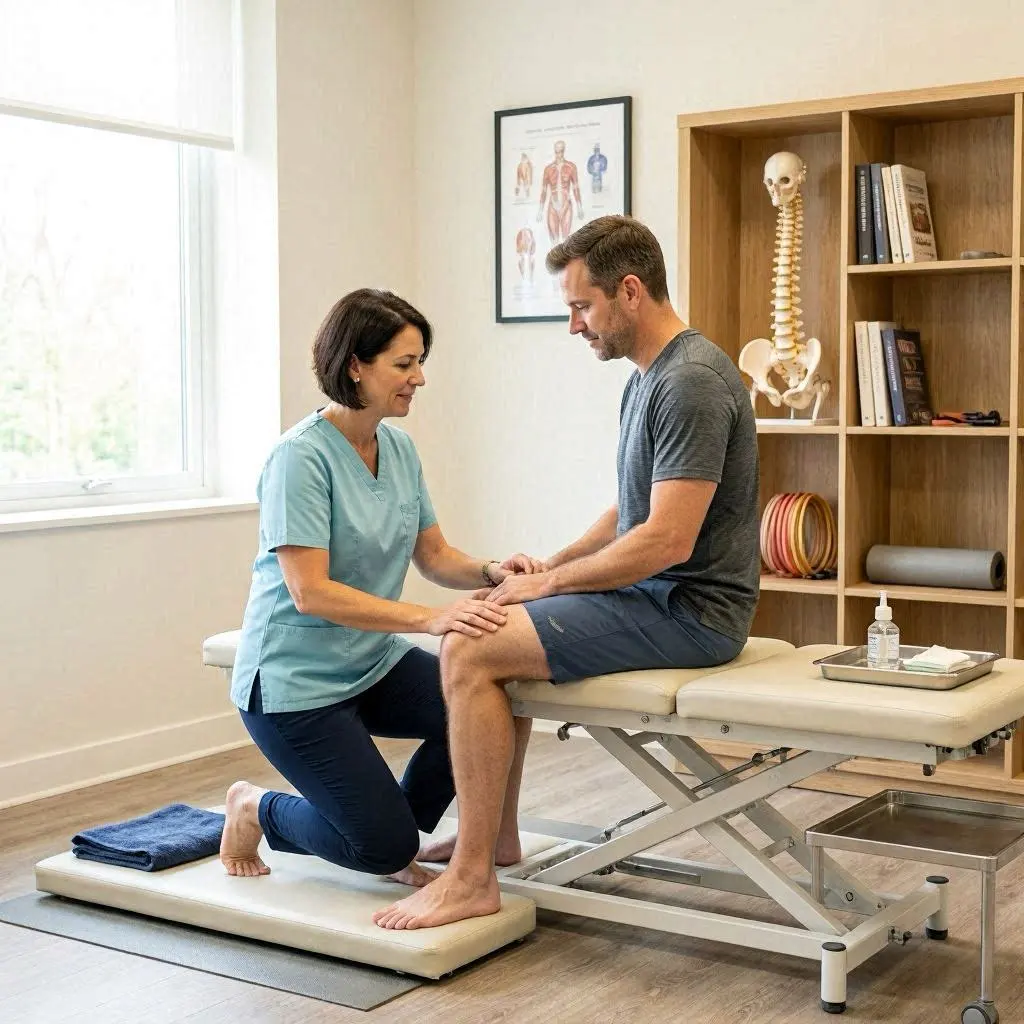
How Can Physiotherapy Help With Upper Back Pain?
Physiotherapy can help identify the movement, strength, and mobility factors that contribute to recurring upper back discomfort.
A physiotherapist may assess:
- Thoracic spine mobility.
- Neck and shoulder movement.
- Shoulder blade control.
- Upper back muscle strength and endurance.
- Sitting and working positions.
- Functional movements that reproduce discomfort.
Based on the assessment, treatment may include:
Individualized exercise: Exercises designed to improve upper back strength, shoulder stability, and spinal mobility.
Posture and movement education: Guidance on comfortable working positions and reducing prolonged static loading.
Workstation advice: Recommendations for adjusting your chair, monitor, keyboard, and mouse.
Manual therapy when appropriate: Hands-on techniques may be used alongside exercise to help manage symptoms and improve movement.
Progressive rehabilitation: A structured plan to improve physical capacity and reduce the likelihood of recurring discomfort.
The appropriate treatment depends on the underlying cause. If your symptoms suggest a medical condition outside the scope of physiotherapy, further medical investigation may be necessary.
If you experience recurring upper back discomfort, you can learn more about the services offered through Ritz Clinic Physiotherapy.

How Long Does Upper Back Pain From Desk Work Last?
Recovery time varies depending on the cause, severity, daily activity, and whether contributing factors are addressed.
Mild muscular discomfort may improve after adjusting your workstation and moving more regularly. Persistent symptoms may take longer and require a structured rehabilitation plan.
| Possible cause | General recovery considerations |
|---|---|
| Temporary muscle tension | May improve with movement and activity changes |
| Mild muscle strain | Often improves over days to weeks |
| Reduced thoracic mobility | May require consistent mobility exercises |
| Recurrent muscle fatigue | May improve with ergonomic changes and strengthening |
| Neck or spine-related condition | Depends on the underlying diagnosis and treatment |
These are general descriptions, not guaranteed recovery times. Seek an assessment if symptoms persist or become worse.
How Can You Prevent Upper Back Pain While Working at a Desk?
Preventing recurring discomfort requires a combination of workstation adjustments, regular movement, and physical conditioning.
Take Regular Movement Breaks
Avoid remaining in the same position throughout your working day.
Stand up, walk around, and gently move your shoulders and upper back at regular intervals.
Strengthen Your Upper Back
Include exercises that target your shoulder blades, upper back, and trunk.
Examples include suitable rows, wall exercises, and progressive resistance training.
Keep Your Screen at a Comfortable Height
Avoid repeatedly bending your neck toward a low laptop screen.
Use a monitor or laptop stand when necessary.
Keep Your Mouse and Keyboard Close
Place frequently used equipment within comfortable reach.
This helps reduce repeated forward reaching and unnecessary shoulder tension.
Balance Sitting and Standing
A height-adjustable desk can allow you to alternate between sitting and standing.
However, standing for prolonged periods without movement is not necessarily better than sitting. The aim is to vary your position throughout the day.
Manage Work-Related Stress
Take short breaks during demanding tasks and avoid holding your shoulders in a raised position.
Relaxation, regular activity, and sufficient sleep may also support recovery.
Frequently Asked Questions
1. Why does my upper back hurt after sitting at a computer all day?
Prolonged sitting, limited movement, muscle fatigue, and an uncomfortable workstation can contribute to upper back pain. Repeatedly leaning toward your screen or reaching for your mouse may also increase tension around your shoulder blades and neck.
2. Can poor posture cause pain between my shoulder blades?
An uncomfortable or sustained posture may contribute to muscle fatigue and discomfort between your shoulder blades. However, prolonged sitting and lack of movement can also play a role, even when your posture appears reasonable.
3. Why does my upper back hurt more at the end of the workday?
Your muscles may become fatigued after supporting your head, shoulders, and arms during hours of computer work. Limited movement and accumulated muscle tension can make discomfort more noticeable toward the end of the day.
4. What is the best exercise for upper back pain from desk work?
Shoulder blade squeezes, thoracic extensions, gentle rotations, and wall angels may help some people improve upper back mobility and muscle control. The most suitable exercise depends on your symptoms and physical assessment.
5. Can a low computer monitor cause upper back pain?
A monitor that is too low may encourage repeated forward head movement and upper body leaning. Adjusting screen height and using a separate keyboard with a laptop stand may help reduce unnecessary strain.
6. Should I use heat or ice for upper back pain?
Gentle heat may help with mild muscle stiffness and tension. Ice may be useful for discomfort following a recent injury. Choose the option that feels comfortable and seek advice if symptoms are severe or unexplained.
7. Can stress make upper back pain worse?
Yes. Stress may contribute to increased muscle tension, particularly around the neck and shoulders. Relaxation, movement breaks, and better work habits may help manage this contributing factor.
8. How often should I take breaks from sitting?
Try to change your position regularly rather than remaining seated for several uninterrupted hours. Short movement breaks every 30–60 minutes can be a practical starting point, although the ideal frequency depends on your needs and work routine.
9. Can physiotherapy help with upper back pain from working at a desk?
Yes. Physiotherapy may help improve thoracic mobility, shoulder blade control, muscle strength, and movement habits. A physiotherapist can also suggest workstation adjustments and an individualized exercise program.
10. When is upper back pain a serious concern?
Seek urgent medical attention if upper back pain occurs with chest pain, shortness of breath, sweating, fainting, or significant neurological symptoms. Persistent or worsening pain also deserves professional assessment.
Conclusion
Upper back pain after working at a desk can develop because of prolonged sitting, muscle fatigue, uncomfortable workstation arrangements, repetitive movements, and reduced physical activity.
Although these problems are common, you do not have to accept daily discomfort as part of office work. Adjusting your monitor and chair, keeping your keyboard and mouse within comfortable reach, and taking regular movement breaks can help reduce unnecessary physical stress.
Gentle mobility exercises and progressive strengthening may also improve upper back function. However, recurring pain, numbness, weakness, or symptoms that interfere with everyday activities should be assessed by a healthcare professional.
With appropriate workstation adjustments and an individualized exercise plan, many people can improve their comfort and manage the physical demands of desk work more effectively.
Mayo Clinic – Office Ergonomics: Your How-to Guide
Key Takeaways
| Key point | What to remember |
|---|---|
| Common causes | Prolonged sitting, muscle fatigue, and uncomfortable workstation setup |
| Main affected areas | Thoracic spine, trapezius, rhomboids, and shoulder blade muscles |
| Common symptoms | Aching between shoulder blades, stiffness, and shoulder tension |
| Initial relief | Change positions, move regularly, and adjust your workstation |
| Helpful exercises | Shoulder blade squeezes, thoracic extensions, wall angels, and gentle rotations |
| Prevention | Ergonomic adjustments, movement breaks, and upper back strengthening |
| When to seek help | Persistent pain, restricted movement, numbness, or weakness |
| Emergency warning signs | Chest pain, shortness of breath, fainting, or significant neurological symptoms |