
How Can I Relieve Neck Pain From Looking at a Computer? Causes, Exercises, and Prevention
Neck pain from looking at a computer is a common problem for people who spend long hours working at a desk, studying, or using digital devices. You may notice stiffness around your neck and shoulders after several hours of screen time, discomfort when turning your head, or a dull ache that becomes worse toward the end of the working day.
This discomfort is sometimes associated with prolonged sitting, forward head posture, muscle fatigue, and limited movement throughout the day. Although computer use does not necessarily cause a serious neck condition, maintaining the same position for extended periods can place additional demands on the muscles and joints that support your head.
The good news is that several practical changes may help relieve computer-related neck discomfort. Adjusting your workstation, taking regular movement breaks, improving posture, and performing gentle exercises can make daily computer use more comfortable.
In this guide, we explain how to relieve neck pain from looking at a computer, which exercises may help, how to set up an ergonomic workspace, and when professional treatment may be appropriate.
Why Does Looking at a Computer Cause Neck Pain?
Your neck supports the weight of your head while allowing you to look in different directions. Muscles, joints, ligaments, and cervical discs work together to maintain stability and control movement.
When you use a computer, you may unintentionally hold your head in a forward position, lean toward the screen, or keep your neck still for long periods.
These habits can contribute to muscle fatigue and discomfort, particularly when combined with poor workstation ergonomics and insufficient movement breaks.
Common contributing factors include:
Looking down at a laptop for extended periods.
Sitting too far away from the monitor.
Leaning forward to read small text.
Working with your shoulders raised or tense.
Using a keyboard or mouse that is positioned too far away.
Staying in one position without regular breaks.
Working for long periods without adequate back support.
One important point is that there is no single perfect posture that everyone must maintain throughout the day. Even a relatively comfortable position can become uncomfortable when you stay in it for too long.
Changing positions regularly and maintaining comfortable movement are important parts of managing computer-related neck pain.
1. Adjust Your Computer Screen to Eye Level
One of the simplest ways to reduce neck strain is to position your monitor correctly.
If your screen is too low, you may repeatedly bend your head forward to see the content. Over time, this position can contribute to discomfort around the neck and upper shoulders.
Try these adjustments:
Position your monitor directly in front of you.
Keep the top portion of the screen around eye level or slightly below.
Place the monitor approximately an arm’s length away, adjusting the distance for comfortable reading.
Increase text size if you find yourself leaning forward.
Avoid placing your monitor too far to one side.
If you use a laptop as your main computer, consider using a separate keyboard and mouse with a laptop stand. This allows you to raise the screen without having to lift your arms into an uncomfortable position.
The aim is to make reading easier while keeping your head and neck in a relaxed position.
2. Maintain a Comfortable Sitting Position
Your sitting position can influence how your neck and shoulders feel during the working day.
When your chair does not provide enough support, you may gradually lean forward or round your shoulders. This can increase muscular effort and make prolonged computer work less comfortable.
For a more supportive workstation:
Keep your feet flat on the floor or use a footrest.
Adjust your chair to support your lower back.
Keep your shoulders relaxed.
Position your elbows close to your body.
Keep your keyboard and mouse within easy reach.
Avoid leaning toward the monitor.
Allow your arms to rest comfortably while typing.
You do not need to hold your body rigidly. Instead, aim for a relaxed position that allows you to move comfortably.
If your chair or desk cannot be adjusted, small changes such as using a footrest, adding lumbar support, or repositioning your keyboard may help.

3. Take Regular Breaks From Computer Work
One of the most useful ways to manage computer-related neck discomfort is to avoid staying in the same position for too long.
Even when your workstation is properly arranged, prolonged sitting can contribute to stiffness and muscle fatigue.
Try to introduce short movement breaks throughout your day.
During a break, you can:
Stand up and walk around.
Gently move your shoulders.
Turn your head comfortably from side to side.
Stretch your arms.
Change your sitting position.
Look away from your screen.
You do not need to wait until your neck starts hurting before moving.
For example, you could briefly change positions between tasks, stand while taking a phone call, or walk around after completing a meeting.
The goal is to reduce prolonged static positioning rather than follow a strict exercise schedule.
4. Perform Gentle Neck Exercises
Gentle exercises may help improve movement, reduce stiffness, and support the muscles around your neck and shoulders.
However, the right exercises depend on your symptoms and physical condition. Start slowly and avoid movements that cause sharp pain or worsening symptoms.
Exercise 1: Gentle Neck Rotation
Purpose: Maintain comfortable neck movement.
Sit upright with your shoulders relaxed.
Slowly turn your head toward the left.
Stop when you feel mild resistance or discomfort.
Return your head to the centre.
Repeat toward the right.
Perform a few comfortable repetitions on each side.
Avoid forcing your head to turn farther than it naturally wants to move.
Exercise 2: Chin Tucks
Purpose: Practice controlled head positioning.
Sit or stand with your eyes looking forward.
Gently draw your chin backward.
Imagine making a small double chin.
Keep your head level rather than looking down.
Relax and repeat if comfortable.
This exercise encourages controlled positioning of your head and neck.
Do not push your head backward forcefully or hold the position if it increases your symptoms.
Exercise 3: Shoulder Rolls
Purpose: Reduce tension around the shoulders.
Sit or stand comfortably.
Slowly raise your shoulders.
Roll them backward.
Lower them gently.
Repeat several times.
This movement may be useful if your neck discomfort is accompanied by tightness across your upper shoulders.
Exercise 4: Gentle Upper Trapezius Stretch
Purpose: Gently stretch the muscles along the side of your neck.
Sit upright with your shoulders relaxed.
Slowly tilt your head toward one shoulder.
Stop when you feel a mild stretch on the opposite side.
Hold briefly if comfortable.
Return to the starting position and repeat on the other side.
Do not pull your head with your hand or force the stretch.
Exercise 5: Shoulder Blade Squeezes
Purpose: Encourage comfortable movement around the upper back and shoulders.
Sit or stand with your arms relaxed.
Gently draw your shoulder blades toward each other.
Keep your shoulders down rather than lifting them.
Relax and return to the starting position.
Repeat several times.
This exercise may help people who experience both neck and upper-back tension during computer work.
Exercise safety: Stop if you experience increasing pain, dizziness, tingling, numbness, or weakness. If your neck pain started after an injury or is accompanied by neurological symptoms, seek professional advice before beginning an exercise routine.
5. Reduce the Time You Spend Looking Down at a Laptop or Phone
Laptop and smartphone use can encourage forward head positioning, especially when the screen is positioned below eye level.
You may notice this when:
Reading documents on a laptop.
Checking messages on your phone.
Watching videos on a tablet.
Working from a sofa or bed.
Using a laptop on a low desk.
To reduce unnecessary neck bending:
Raise your laptop screen when possible.
Use an external keyboard and mouse.
Hold your phone closer to eye level when practical.
Avoid resting your laptop directly on your lap for long periods.
Change positions regularly.
Use larger text to reduce the need to lean forward.
These adjustments can make screen use more comfortable without requiring you to stop using digital devices.
6. Use Heat or Cold Therapy When Appropriate
Heat and cold may provide temporary relief for some types of neck discomfort.
Heat therapy may help when your symptoms involve muscle tightness or stiffness. A warm shower or warm compress can help make the area feel more comfortable.
Cold therapy may be helpful for some people following a recent minor strain or irritation.
If you use a heating pad or cold pack:
Wrap it in a towel.
Avoid direct contact with your skin.
Follow the product’s safety instructions.
Avoid prolonged application.
Stop if your skin becomes irritated.
Heat and cold do not address every possible cause of neck pain. If symptoms continue, it is important to investigate what may be contributing to them.
7. Improve Your Desk and Workstation Ergonomics
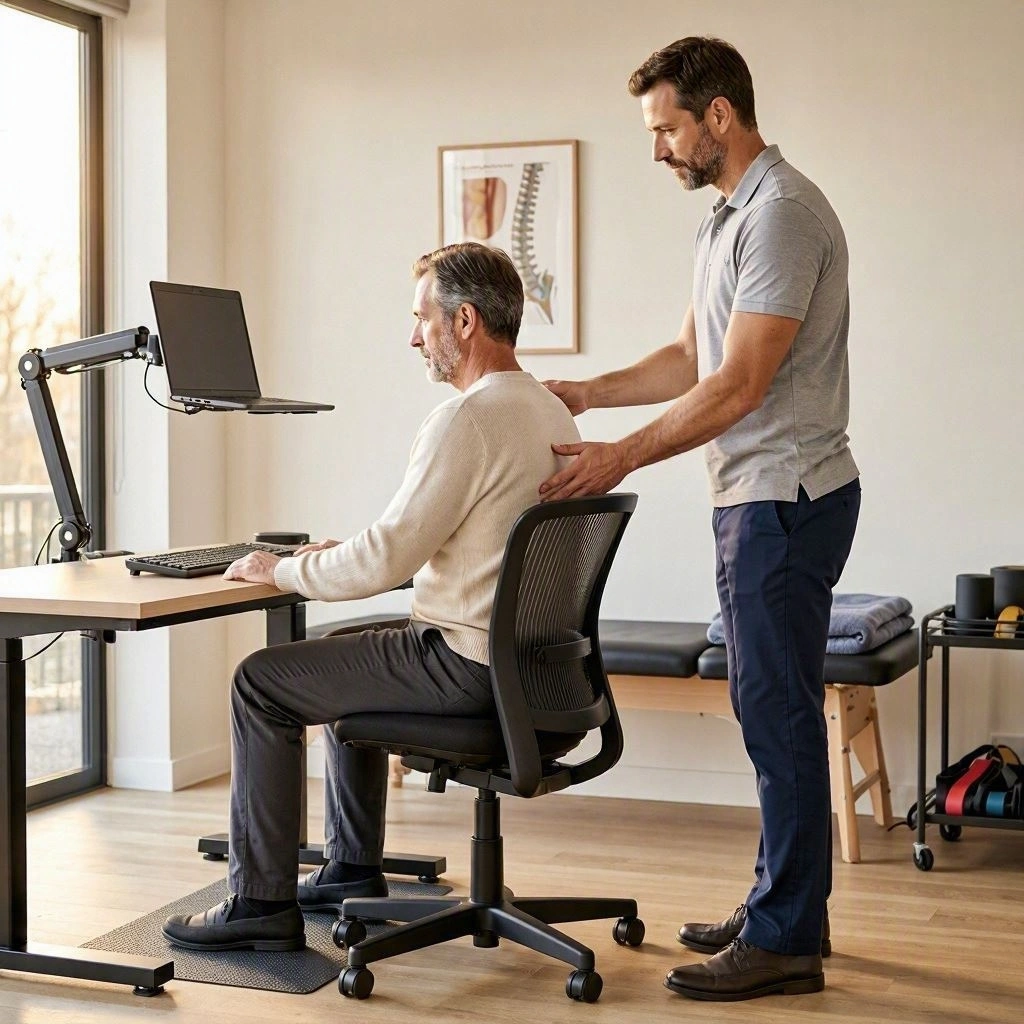
A comfortable workstation can make a meaningful difference when you spend much of your day using a computer.
Ergonomics focuses on arranging your working environment to support comfortable and efficient movement.
Consider reviewing the following areas:
Monitor placement
Keep your monitor directly in front of you to avoid repeatedly turning your head. Adjust its height and distance so you can read without leaning forward.
Keyboard position
Place your keyboard close enough that you do not need to reach forward. Your elbows should remain comfortably near your body.
Mouse position
Keep your mouse next to your keyboard. Reaching too far to the side can increase tension around your shoulder and upper back.
Chair support
Choose a chair that supports your lower back and allows your feet to rest comfortably.
Lighting
Reduce screen glare and make sure your workspace is adequately lit. Poor visibility may encourage you to lean toward the screen.
Working habits
Alternate between sitting, standing, and walking when possible. Avoid remaining in one position throughout the entire workday.
For more information, the OSHA Computer Workstations guidance provides practical recommendations for monitor positioning, chairs, keyboards, and workstation arrangement.
8. Strengthen the Muscles That Support Your Neck
Stretching may help with stiffness, but long-term management can also involve improving muscle strength and endurance.
Your neck does not work independently. The upper back, shoulders, and muscles around your shoulder blades contribute to posture and movement control.
Depending on your symptoms, a physiotherapist may recommend exercises that target:
Deep neck flexor muscles.
Shoulder blade stabilizing muscles.
Upper back muscles.
Shoulder mobility.
General postural endurance.
The goal is not to keep your shoulders pulled backward all day. Instead, strengthening exercises can help your body tolerate normal activities more comfortably.
A gradual approach is important. Starting with too much resistance or too many repetitions may aggravate symptoms.
9. Pay Attention to Stress and Daily Habits
Computer-related neck pain is not always caused by workstation positioning alone.
Stress, poor sleep, reduced physical activity, and prolonged concentration may also contribute to muscle tension and discomfort.
For example, you may notice that your shoulders become tense during a demanding workday. You might also spend several hours working without realizing that you have not changed position.
Consider these habits:
Take short breaks between demanding tasks.
Include regular physical activity in your routine.
Maintain a consistent sleep schedule.
Avoid working for extended periods without movement.
Relax your shoulders when you notice unnecessary tension.
Make time for activities that help you manage stress.
These changes may support your overall recovery and make computer work more manageable.
How Long Does Computer-Related Neck Pain Take to Improve?
Recovery time depends on the underlying cause, the severity of symptoms, and whether contributing habits change.
Mild discomfort related to muscle fatigue or prolonged positioning may improve after adjusting your workstation, moving regularly, and reducing activities that aggravate symptoms.
However, persistent pain may require a more detailed assessment.
Factors that can influence recovery include:
How long you have experienced symptoms.
Whether pain is limited to the neck or travels into your arm.
Your daily computer use.
Previous neck injuries.
Muscle strength and mobility.
Whether your symptoms are related to a joint or nerve condition.
If your symptoms are not improving, keep returning, or are interfering with your daily activities, consider seeking professional advice rather than relying on self-care alone.
When Should You Seek Professional Help for Computer-Related Neck Pain?
Many cases of mild neck discomfort improve with changes to daily habits and appropriate self-care. However, persistent symptoms may indicate that something other than temporary muscle fatigue is contributing to your pain.
Consider arranging a professional assessment if:
Your neck pain continues for several weeks.
Stiffness repeatedly returns despite changing your workstation.
Pain interferes with sleep, work, or everyday activities.
You have difficulty turning your head.
Discomfort spreads into your shoulder, arm, or hand.
You experience tingling, numbness, or changes in arm strength.
Seek urgent medical attention if neck pain follows a significant accident or occurs with new or worsening weakness, difficulty walking, loss of coordination, or other serious neurological symptoms. Neck stiffness accompanied by a high fever, severe headache, or feeling very unwell also requires urgent assessment.
Do not assume that every symptom is caused by computer posture. A healthcare professional can help identify whether your discomfort is related to muscles, joints, nerves, or another condition.
The NHS guide to neck pain provides additional information about self-care and when to seek medical advice.

How Can Physiotherapy Help With Neck Pain From Computer Work?
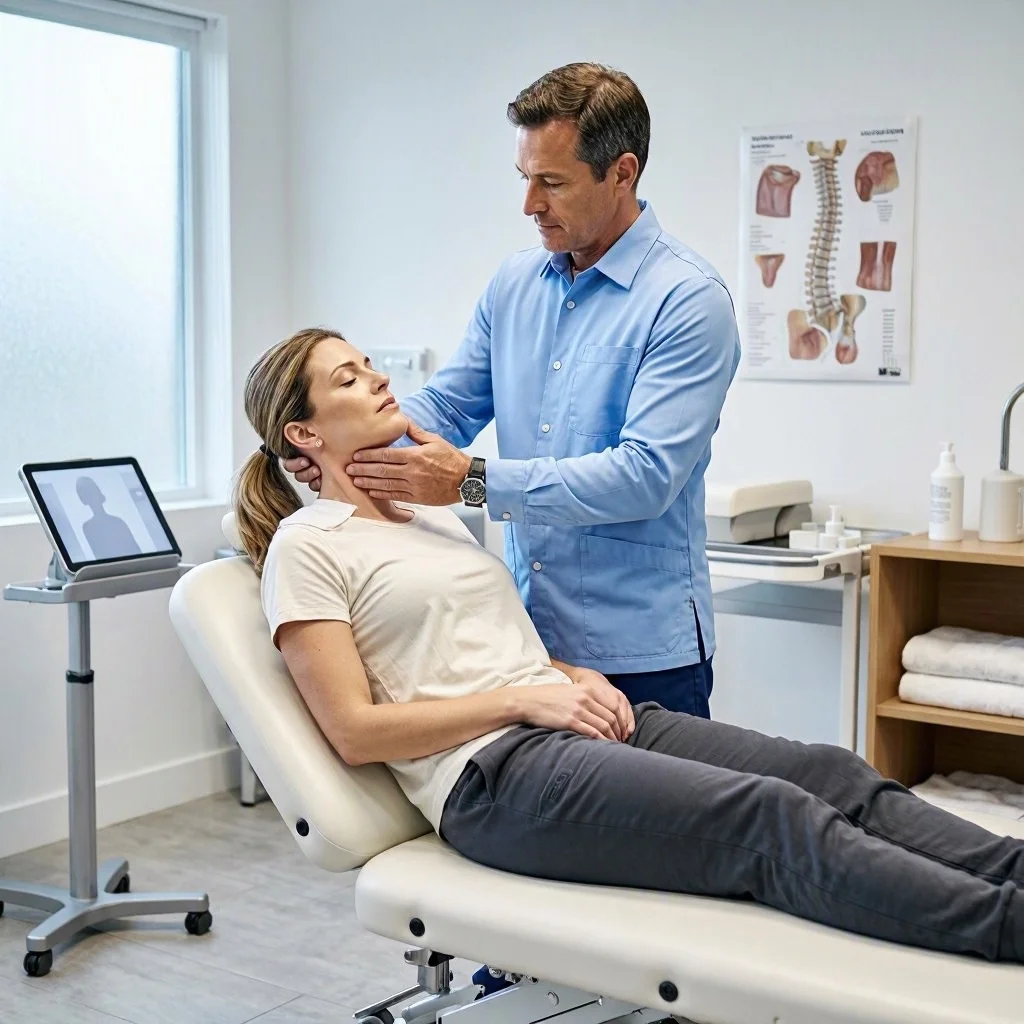
If adjusting your workstation and changing your daily habits have not provided enough relief, physiotherapy may be a useful treatment option.
Computer-related neck pain can involve several contributing factors. For example, you may have reduced neck mobility, muscle weakness, shoulder tension, or difficulty maintaining comfortable positions during prolonged work.
A physiotherapist can assess your symptoms and identify which factors may be contributing to your discomfort.
Depending on the findings, your treatment plan may include:
Movement and mobility exercises: Gentle exercises can help improve comfortable neck movement and reduce stiffness.
Strengthening exercises: Targeted exercises may improve the endurance of muscles that support your neck, shoulders, and upper back.
Postural and ergonomic guidance: A physiotherapist can help you identify workstation habits that may be increasing discomfort.
Manual therapy: When clinically appropriate, hands-on techniques may be used alongside exercise and other rehabilitation strategies.
Activity modification: You may receive practical recommendations for managing computer work without unnecessarily aggravating your symptoms.
The goal is to help you move more comfortably, improve your ability to tolerate everyday activities, and reduce the factors that may contribute to recurring pain.
If you are experiencing persistent neck discomfort, explore Physiotherapy at Ritz Clinic to learn more about available treatment options.
Neck Pain Treatment at Ritz Clinic in Thornhill
Spending long hours at a computer should not mean accepting ongoing neck discomfort as part of your daily routine.
If you regularly experience neck stiffness, shoulder tension, or discomfort when turning your head after working at a desk, understanding the underlying cause is an important step toward managing your symptoms.
At Ritz Clinic in Thornhill, individuals can explore available musculoskeletal care options, including physiotherapy and chiropractic care.
An appropriate treatment approach should consider your symptoms, medical history, movement limitations, daily activities, and recovery goals.
Depending on your assessment, care may involve therapeutic exercises, mobility guidance, manual techniques, and recommendations for improving your daily movement habits.
Learn more about our Neck Pain Treatment in Thornhill and available care options.
You can also explore Chiropractic Care at Ritz Clinic to learn more about musculoskeletal treatment options.
Frequently Asked Questions
1. Why does my neck hurt after sitting at a computer all day?
Prolonged computer use may contribute to neck discomfort because your muscles remain active while supporting your head in a relatively fixed position. Looking down, leaning toward the screen, and holding your shoulders tense can increase muscular fatigue.
Taking movement breaks and adjusting your workstation may help reduce discomfort.
2. How can I relieve neck pain from looking at a computer quickly?
Start by changing your position, relaxing your shoulders, and taking a short walking break. Gentle neck movements and comfortable heat therapy may also help.
If a movement increases your pain, stop rather than forcing your neck to stretch.
3. Is looking down at a laptop bad for your neck?
Looking down at a laptop for extended periods may contribute to neck and shoulder discomfort. Raising the screen and using a separate keyboard and mouse can help you work with your head in a more comfortable position.
4. How often should I take breaks when working at a computer?
Try to avoid long periods without changing position. Short, regular movement breaks can help reduce prolonged static loading. You can stand, walk, stretch gently, or switch to a task that does not require continuous screen use.
The OSHA computer workstation guidance recommends short breaks and changes in activity to allow muscles to recover.
Occupational Safety and Health Administration+1
5. Can computer-related neck pain cause headaches?
Neck muscle tension and certain cervical conditions can contribute to headaches. Some headaches are associated with structures in the neck, although not every headache experienced during computer work has a neck-related cause.
Persistent, severe, or unusual headaches should be medically assessed.
6. Should I use a standing desk for neck pain?
A standing desk may help you vary your working position, but standing all day is not necessarily better than sitting all day.
The important principle is to change positions regularly, maintain a comfortable workstation, and avoid prolonged static postures.
7. Can physiotherapy fix neck pain caused by computer work?
Physiotherapy may help improve mobility, strength, and movement habits when symptoms are related to musculoskeletal problems. The results depend on the underlying cause and individual circumstances.
A proper assessment helps determine which treatment options are appropriate.
8. When should I worry about neck pain from computer use?
Seek professional advice if pain persists, worsens, or interferes with daily activities. New numbness, tingling, or weakness also deserves assessment. Significant trauma or serious neurological symptoms require urgent medical attention.
Conclusion
Neck pain from looking at a computer can develop when your muscles and joints are exposed to prolonged static positions, awkward screen placement, and insufficient movement throughout the day.
Fortunately, practical changes can make a difference. Positioning your monitor correctly, keeping your keyboard and mouse within easy reach, taking regular movement breaks, and performing gentle exercises may help reduce discomfort.
However, persistent or recurring pain should not be ignored. If changing your workstation and daily habits does not improve your symptoms, a professional assessment can help identify the underlying problem and guide appropriate treatment.
At Ritz Clinic, physiotherapy and other musculoskeletal care options may help individuals address neck discomfort and work toward more comfortable daily movement.