Physiotherapy for Ergonomic Health: A Complete Guide to Better Posture, Movement, and Workplace Wellness
Modern work environments have changed dramatically. Many people spend several hours each day sitting at a desk, working on computers, using mobile devices, driving, standing at workstations, or performing repetitive tasks. Although these activities may seem harmless, poor workplace habits and unsuitable work environments can contribute to physical discomfort and movement problems over time. Physiotherapy for ergonomic health provides a practical approach to identifying these issues and developing healthier movement and work habits.
Ergonomic health is not simply about having an expensive office chair or maintaining one perfect sitting position. It involves creating an environment that supports comfortable movement while reducing unnecessary physical strain. Physiotherapists can assess posture, movement patterns, strength, flexibility, work habits, and physical demands to help individuals improve their daily routines.
A comprehensive ergonomic approach can be useful for office workers, remote employees, healthcare professionals, drivers, manual workers, students, and anyone who spends significant amounts of time performing repetitive or static activities.
What Is Ergonomic Health?
Ergonomic health refers to the relationship between a person, their physical environment, and the activities they perform.
In the workplace, ergonomics considers factors such as:
Workstation setup
Sitting position
Standing position
Computer monitor placement
Keyboard and mouse positioning
Lifting techniques
Repetitive movements
Work duration
Movement breaks
Physical workload
The objective is to make tasks more compatible with the person’s physical capabilities.
Good ergonomics does not mean remaining completely still or maintaining one rigid posture. Instead, healthy ergonomic habits encourage comfortable positioning, regular movement, appropriate workload, and variation throughout the day.
How Can Physiotherapy Help With Ergonomic Health?
Physiotherapists understand how muscles, joints, movement patterns, and physical workloads interact.
During an ergonomic assessment, a physiotherapist may examine:
Posture
Joint mobility
Muscle strength
Flexibility
Movement habits
Workstation setup
Repetitive activities
Pain patterns
Functional limitations
The findings can be used to create an individualized strategy.
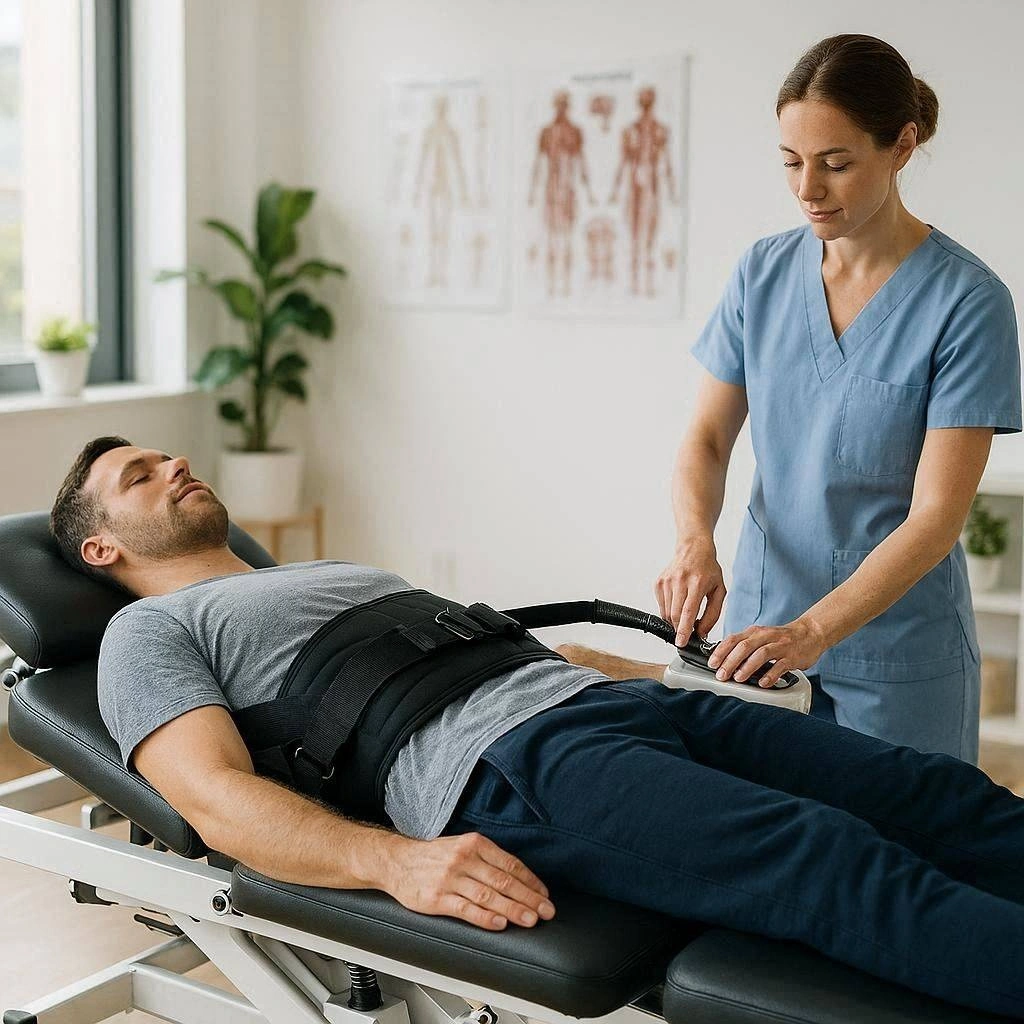
Depending on the person’s needs, treatment may include posture education, therapeutic exercise, mobility training, strengthening, movement retraining, and workplace recommendations.
Why Workplace Ergonomics Matters
Poorly adapted work environments can contribute to discomfort, particularly when combined with long periods of repetitive or static activity.
Common complaints among workers include:
Neck discomfort
Shoulder tension
Upper-back stiffness
Lower-back discomfort
Wrist discomfort
Hip stiffness
General muscle fatigue
These symptoms can have multiple causes, so they should not automatically be attributed to workstation setup alone.
A physiotherapy assessment can help identify whether movement limitations, muscle weakness, workload, posture, or other factors may be contributing.
The Importance of Posture
Posture is an important part of ergonomic health, but there is no single posture that is ideal for everyone or appropriate to maintain continuously.
Instead, physiotherapy often emphasizes:
Changing positions regularly
Avoiding prolonged static postures
Maintaining comfortable alignment
Moving frequently
Adjusting the workstation
Building physical capacity
For example, sitting upright for a short period and then changing position may be more practical than trying to maintain a rigid posture for several hours.
Movement variety is an important component of ergonomic health.
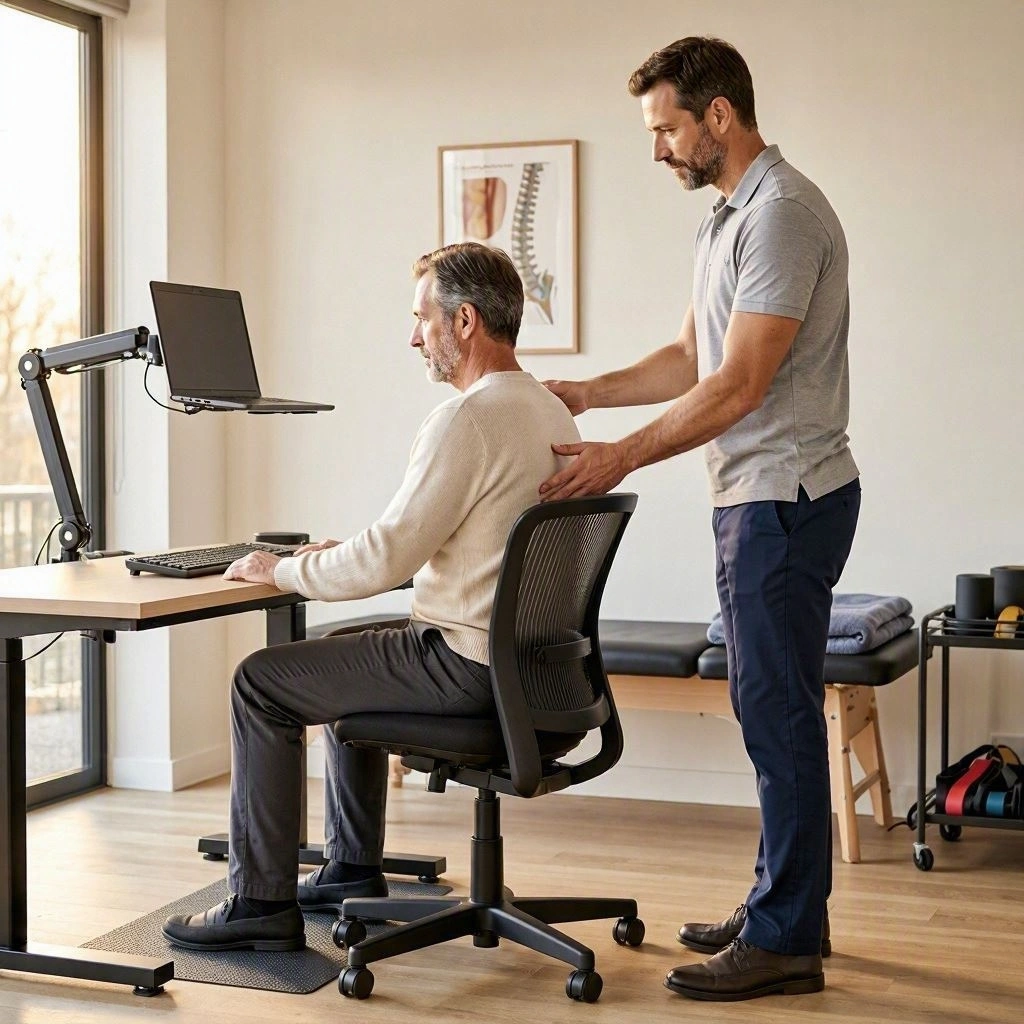
Ergonomic Assessment for Office Workers
Office workers are among the most common groups to benefit from ergonomic guidance.
A physiotherapist may assess the person’s:
Desk height
Chair position
Monitor height
Keyboard placement
Mouse position
Foot support
Sitting habits
Break schedule
The workstation should allow the person to work comfortably while minimizing unnecessary reaching, twisting, or sustained strain.
Computer Monitor Position
Monitor positioning can influence how the head and neck are held during computer work.
A screen that is too low or positioned poorly may encourage prolonged neck flexion or rotation.
Practical considerations include:
Keeping the main screen directly in front of the user
Positioning the screen at a comfortable viewing height
Avoiding prolonged rotation toward one side
Adjusting screen distance appropriately
The exact position depends on the individual’s height, visual needs, workstation, and task.
Keyboard and Mouse Ergonomics
Keyboard and mouse positioning can affect the upper limbs.
Workers may experience discomfort when they repeatedly reach forward, elevate the shoulders, or keep the wrists in uncomfortable positions.
A physiotherapist may recommend adjusting:
Keyboard distance
Mouse position
Desk height
Arm support
Shoulder position
The objective is to allow relaxed and efficient movement during computer tasks.
Ergonomic Sitting Habits
Sitting itself is not necessarily harmful. Problems can arise when a person remains in the same position for prolonged periods without sufficient movement.
Helpful habits may include:
Changing sitting positions
Standing periodically
Walking during breaks
Adjusting chair height
Keeping frequently used objects within easy reach
Avoiding prolonged awkward positions
Short movement breaks throughout the day can help reduce the amount of continuous static time.
Physiotherapy Exercises for Ergonomic Health
Exercise can support the physical capacity needed for work.
A physiotherapist may prescribe exercises based on individual assessment.
Neck Mobility Exercises
Gentle neck movements can help maintain comfortable mobility.
Exercises may include controlled rotation, side movement, and flexion and extension when appropriate.
Shoulder Strengthening
Strengthening the muscles around the shoulders and upper back can support functional movement.
Exercises may include resistance-band rows, scapular control exercises, and other strengthening movements.
Upper-Back Mobility
Thoracic mobility exercises can help individuals who spend significant time in seated positions.
Controlled rotation and extension exercises may be incorporated into a rehabilitation program.
Core Strengthening
Core exercises can support trunk control during sitting, standing, lifting, and other activities.
Examples may include:
Bridges
Dead bugs
Bird dogs
Planks
Functional stabilization exercises
The appropriate exercise depends on the person’s abilities and symptoms.
Lower-Back Ergonomics
Lower-back discomfort is a common reason people seek physiotherapy.
Work-related factors can include prolonged sitting, repetitive lifting, awkward positions, and insufficient movement.
Ergonomic strategies may involve:
Adjusting chair height
Changing positions regularly
Taking movement breaks
Improving lifting technique
Strengthening the hips and trunk
Maintaining general physical activity
There is no universal sitting position that prevents all back pain. A combination of movement, physical conditioning, and appropriate work habits is often more useful.
Ergonomics for Remote Workers
Working from home can create unique ergonomic challenges.
People may work from:
Sofas
Beds
Kitchen tables
Temporary desks
Improvised workstations
These setups may not provide adequate support for long periods of work.
Remote workers can benefit from creating a dedicated workspace when possible.
Important considerations include:
Appropriate desk height
Comfortable chair
Suitable monitor positioning
Keyboard and mouse placement
Adequate lighting
Regular movement breaks
Physiotherapy for Repetitive Work (Physiotherapy for Ergonomic Health)
Not all ergonomic problems occur in offices.
Workers who perform repetitive tasks may place repeated demands on specific muscles and joints.
Examples include:
Factory workers
Hairdressers
Healthcare workers
Construction workers
Warehouse employees
Drivers
Retail workers
Physiotherapy can help identify movement strategies, strength deficits, and physical limitations that may contribute to discomfort.
Ergonomic Health for Manual Workers
Manual workers may face different physical demands from office employees.
Lifting, carrying, pushing, pulling, kneeling, climbing, and repetitive movements can all place demands on the musculoskeletal system.
A physiotherapist may provide guidance on:
Lifting mechanics
Load management
Strength training
Mobility
Recovery
Movement efficiency
Good technique is important, but physical capacity and workload management are also essential.
Safe Lifting Principles
There is no single lifting technique that is appropriate for every situation.
Safe lifting generally involves considering:
Load size
Object position
Distance from the body
Available space
Repetition
Speed
Individual strength
Workers should avoid unnecessarily lifting loads beyond their capabilities and should use available equipment or assistance when appropriate.
Training the body to tolerate work demands is an important part of injury prevention.
Movement Breaks During the Workday
One of the simplest ergonomic strategies is increasing movement throughout the day.
Movement breaks can include:
Standing
Walking
Gentle mobility exercises
Changing work positions
Getting water
Walking during phone calls
The goal is not necessarily to perform a long exercise session every hour. Frequent changes in activity can reduce prolonged static positioning.
Ergonomics and Neck Health
Long periods of computer and mobile-device use can place sustained demands on the neck and upper body.
Physiotherapy may address:
Neck mobility
Upper-back strength
Shoulder control
Posture habits
Screen positioning
Movement breaks
Exercises can be selected according to the person’s symptoms and physical assessment.
Ergonomics and Shoulder Health (Physiotherapy for Ergonomic Health)
Shoulder discomfort can be influenced by repetitive reaching, overhead activities, sustained positions, and strength deficits.
A physiotherapist may evaluate:
Shoulder mobility
Rotator cuff strength
Scapular movement
Upper-back mobility
Work-related movements
Rehabilitation can combine strengthening with movement education and ergonomic adjustments.
Ergonomic Health and Wrist Comfort
Computer users and repetitive workers may experience wrist or hand discomfort.
Workstation considerations may include:
Keyboard placement
Mouse positioning
Repetitive workload
Wrist position
Break frequency
Persistent hand or wrist symptoms should receive an appropriate professional assessment, particularly when accompanied by numbness, weakness, or changes in sensation.
Ergonomics for Drivers
Drivers may spend several hours sitting in a relatively fixed position.
Useful considerations include:
Seat adjustment
Steering-wheel position
Mirror positioning
Regular breaks
Changing position when safe
Maintaining physical activity outside driving
Long journeys may require planned stops to allow movement and recovery.
Ergonomic Health for Students (Physiotherapy for Ergonomic Health)
Students can also experience physical discomfort from prolonged studying and computer use.
A student-friendly ergonomic setup may include:
Appropriate desk height
Comfortable chair
Suitable screen positioning
Good lighting
Regular movement breaks
Developing healthy movement habits early can make them easier to maintain over time.
The Role of Strength in Ergonomic Health
Ergonomics is not only about equipment.
A person’s physical capacity also matters.
Strong and well-conditioned muscles can help the body tolerate daily activities more effectively.
A general exercise program may include:
Resistance training
Walking
Mobility exercises
Core strengthening
Balance activities
Cardiovascular exercise
The program should be adapted to the individual’s health and fitness level.
Workplace Injury Prevention (Physiotherapy for Ergonomic Health)
Ergonomic health can be one component of a broader injury-prevention strategy.
Prevention may involve:
Appropriate equipment
Workstation adjustments
Movement education
Strength training
Workload management
Regular breaks
Early attention to symptoms
Employers may also benefit from workplace ergonomic assessments and employee education.
When Should You See a Physiotherapist?
A physiotherapy assessment may be useful if you experience:
Persistent work-related discomfort
Neck pain
Shoulder pain
Back pain
Wrist discomfort
Joint stiffness
Muscle weakness
Recurrent workplace injuries
Reduced mobility
Difficulty performing work tasks
Early assessment may help identify modifiable factors before symptoms significantly interfere with work and daily life.
Warning Signs Requiring Medical Attention (Physiotherapy for Ergonomic Health)
Not every physical symptom should be treated as an ergonomic problem.
Seek urgent medical attention if you experience:
Sudden weakness
Sudden numbness
Loss of coordination
Chest pain
Difficulty breathing
Severe pain following significant trauma
Loss of bowel or bladder control
Sudden neurological changes
These symptoms may require immediate medical evaluation.
Creating a Personalized Ergonomic Plan
The most effective ergonomic strategy is individualized.
A physiotherapist may consider:
Work environment
Job responsibilities
Physical condition
Existing symptoms
Exercise habits
Previous injuries
Daily schedule
Personal goals
The resulting plan may combine workstation changes, movement breaks, therapeutic exercises, strength training, and education.
Conclusion (Physiotherapy for Ergonomic Health)
Physiotherapy for ergonomic health provides a comprehensive approach to improving the relationship between people, movement, and their work environment. Whether someone works at a computer, performs manual labor, drives for long periods, or studies for several hours each day, ergonomic habits can play an important role in physical comfort and function.
Physiotherapy can help identify movement limitations, strength deficits, mobility restrictions, and work-related factors that may contribute to discomfort. Treatment may include therapeutic exercises, mobility training, strengthening, posture education, movement retraining, and individualized ergonomic recommendations.
The goal is not to find one perfect posture or workstation. Instead, healthy ergonomics involves creating an environment that supports comfortable movement, changing positions regularly, managing physical workload, and developing the strength and mobility needed for daily activities.
With appropriate ergonomic adjustments, consistent movement, regular exercise, and professional guidance when necessary, individuals can develop healthier work habits and support long-term musculoskeletal health.